
Dell-EMC
E20-616 · Question #231
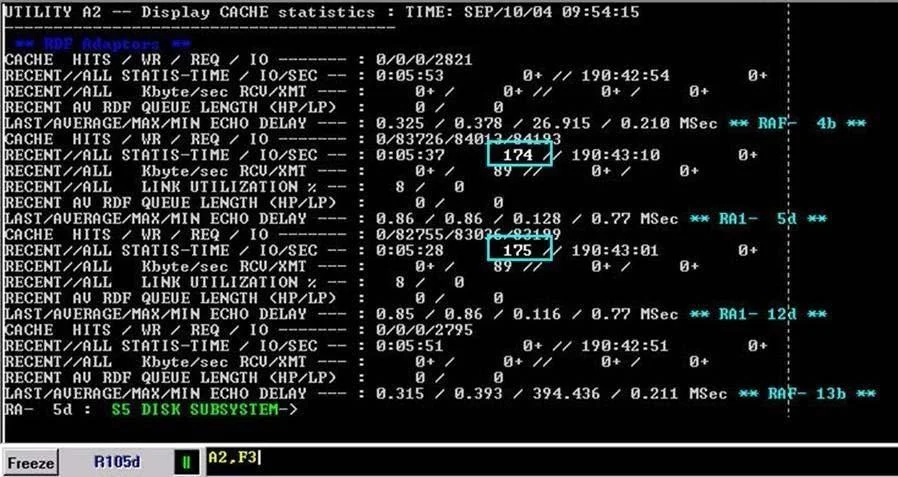
Click the exhibit button. In the illustration, what do the highlighted numbers ("174" and "175") mean?
The correct answer is A. Average I/Os per second on the SRDF Links. See the full explanation below for the reasoning.
Question
Click the exhibit button. In the illustration, what do the highlighted numbers ("174" and "175") mean?
Exhibit
Options
- AAverage I/Os per second on the SRDF Links
- BCurrent invalids on the SRDF Links
- CNumber of write pendings on the SRDF Links
- DSnap shot of pending I/Os on the SRDF Links
How the community answered
(60 responses)- A78% (47)
- B7% (4)
- C12% (7)
- D3% (2)
Community Discussion
No community discussion yet for this question.