
DP-700 · Question #92
You have an Azure SQL database named DB1. In a Fabric workspace, you deploy an eventstream named EventStreamDB1 to stream record changes from DB1 into a lakehouse. You discover that events are NOT…
The correct answer is D. Enable change data capture (CDC) for DB1. To ensure that a Fabric EventStream can propagate record changes from an Azure SQL database, change data capture (CDC) must be enabled on the source database.
Question
Exhibit
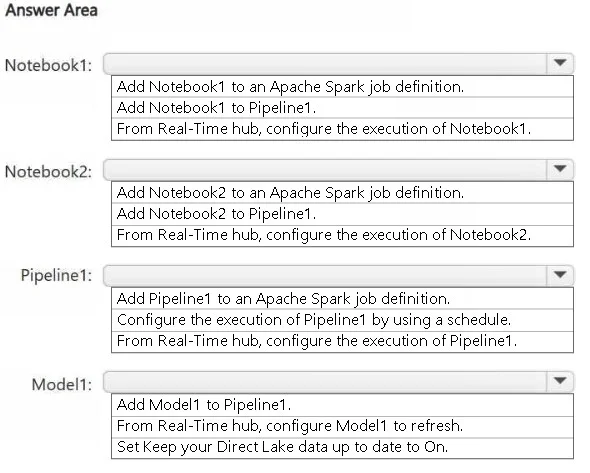
Options
- ACreate a read-only replica of DB1.
- BCreate an Azure Stream Analytics job.
- CEnable Extended Events for DB1.
- DEnable change data capture (CDC) for DB1.
How the community answered
(18 responses)- B6% (1)
- C11% (2)
- D83% (15)
Why each option
To ensure that a Fabric EventStream can propagate record changes from an Azure SQL database, change data capture (CDC) must be enabled on the source database.
Creating a read-only replica would not enable the tracking of changes for streaming, as it is primarily for read scalability and disaster recovery, not change detection.
An Azure Stream Analytics job is used for processing streaming data, not for enabling change detection on a source SQL database.
Extended Events are a lightweight monitoring system in SQL Server for troubleshooting and performance analysis, not for providing change feeds for data streaming services.
Fabric Eventstreams, when configured to source data from Azure SQL Database, rely on Change Data Capture (CDC) to track and extract row-level changes (inserts, updates, deletes) from the database's transaction log. If CDC is not enabled on DB1, the EventStream will not be able to detect or propagate these changes.
Concept tested: Azure SQL Database CDC for EventStream
Source: https://learn.microsoft.com/en-us/fabric/real-time-analytics/eventstreams/create-eventstream-azure-sql-db
Topics
Community Discussion
No community discussion yet for this question.