
DP-700 · Question #112
You have a Fabric workspace that contains a lakehouse named Lakehouse1. Lakehouse1 contains a Delta table named Table W. You analyze Table W and discover that Table W contains 2,000 Parquet files of…
The correct answer is C. Run the OPTIMIZE and VACUUM commands. To minimize query time on a Delta table with many small Parquet files, you should run both the OPTIMIZE command to compact files and the VACUUM command for cleanup.
Question
Exhibit
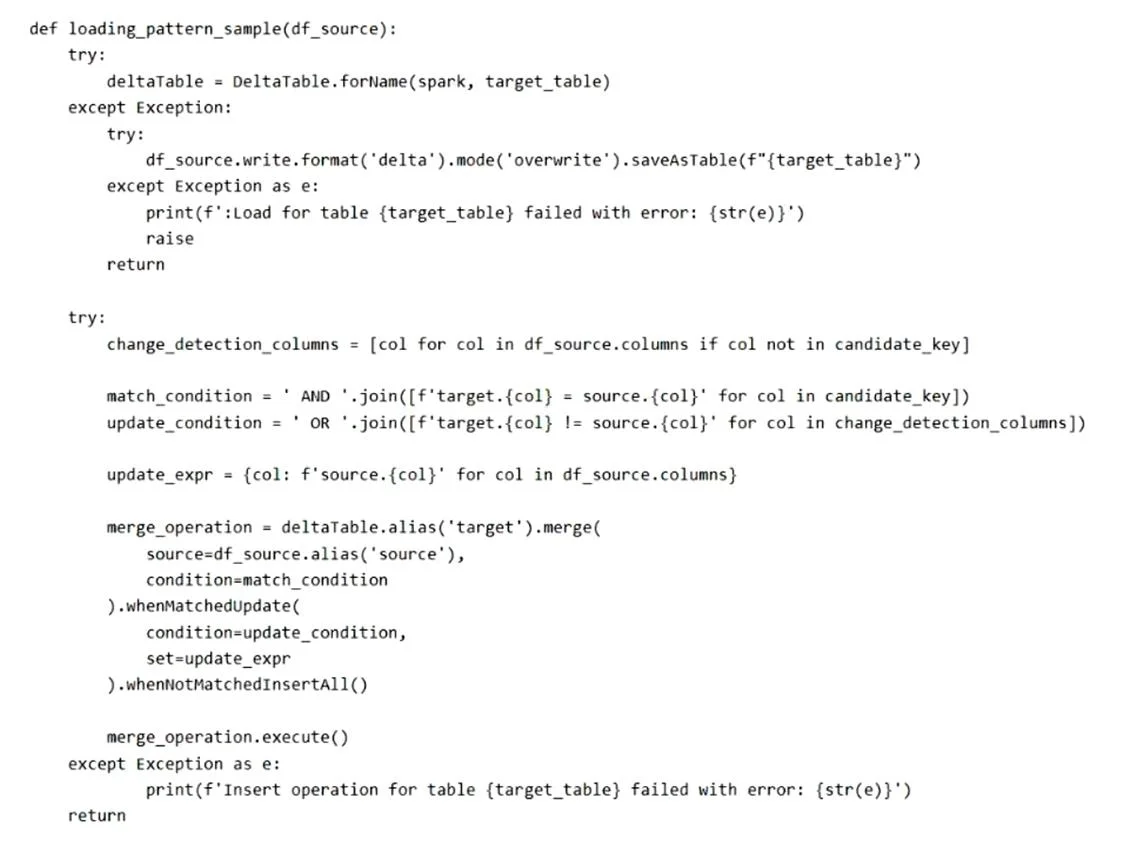
Options
- ADisable the V-Order and run the VACUUM command
- BDisable the V-Order and run the OPTIMIZE command
- CRun the OPTIMIZE and VACUUM commands
- DEnable the V-Order and run the VACUUM command
How the community answered
(43 responses)- A5% (2)
- B2% (1)
- C84% (36)
- D9% (4)
Why each option
To minimize query time on a Delta table with many small Parquet files, you should run both the OPTIMIZE command to compact files and the VACUUM command for cleanup.
Disabling V-Order would likely degrade query performance as V-Order is designed to improve read efficiency, and VACUUM alone does not compact small files.
Disabling V-Order would likely degrade query performance; while OPTIMIZE compacts files, combining it with disabling V-Order is contradictory to minimizing query time.
The OPTIMIZE command is crucial for Delta tables with many small files, as it compacts them into larger, more efficient files, significantly reducing I/O operations and metadata overhead during queries, thereby minimizing query time. Following this, the VACUUM command is essential for cleaning up the old data files that are no longer referenced after the OPTIMIZE operation, reclaiming storage and maintaining table efficiency.
Enabling V-Order can improve reads, but VACUUM alone does not compact the existing small files into larger ones, which is the primary issue for slow queries on many 1MB files.
Concept tested: Delta Lake table optimization - OPTIMIZE and VACUUM
Source: https://learn.microsoft.com/en-us/fabric/data-engineering/delta-lake-overview#delta-lake-maintenance-commands
Topics
Community Discussion
No community discussion yet for this question.