
DP-500 · Question #52
You are using DAX Studio to query an XMLA endpoint. You need to identify the duplicate values in a column named Email in a table named Subscription. How should you complete the DAX expression? To…
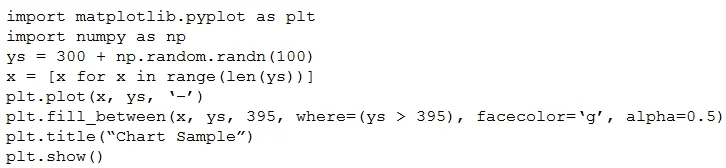
The provided exhibit images display unrelated Python code for charting; however, to conceptually identify duplicate email values in a DAX expression, one typically uses SUMMARIZE with COUNTROWS to group and count emails, then FILTER to select entries where the count is greater…
Question
Exhibit
Explanation
The provided exhibit images display unrelated Python code for charting; however, to conceptually identify duplicate email values in a DAX expression, one typically uses SUMMARIZE with COUNTROWS to group and count emails, then FILTER to select entries where the count is greater than one.
Approach. The correct DAX expression to identify duplicate values in the Email column of the Subscription table involves several steps. First, you need to group the Subscription table by the Email column and count the occurrences of each email. This is typically achieved using SUMMARIZE. The SUMMARIZE function will create a new table with distinct Email values and a new column (e.g., "EmailCount") containing the count of rows for each email, which can be done using COUNTROWS(Subscription). Second, you need to filter this summarized table to include only those rows where the "EmailCount" is greater than 1, indicating a duplicate. This filtering is done using the FILTER function. Finally, the entire expression should be wrapped in EVALUATE to return the resulting table. Therefore, the likely drag-and-drop solution would involve placing EVALUATE, FILTER, SUMMARIZE, Subscription, Subscription[Email], COUNTROWS(Subscription), and > 1 into the correct positions to form a query like: EVALUATE FILTER(SUMMARIZE(Subscription, Subscription[Email], "EmailCount", COUNTROWS(Subscription)), [EmailCount] > 1). The provided images are irrelevant to this DAX question.
Common mistakes.
- common_mistake. Common mistakes when identifying duplicate values in DAX include: 1. Using
DISTINCTorVALUESalone: These functions only return unique values, not identify which values are duplicates or how many times they appear. 2. Incorrectly applyingCOUNTROWSorCOUNT: For instance, usingCOUNTROWS()without specifying the table context or usingCOUNT(Subscription[Email])without the correctSUMMARIZEorGROUPBYcontext might lead to incorrect counts (e.g., counting all rows in the table instead of rows per email group). 3. Forgetting toFILTER: If theFILTERfunction is omitted, the expression would return all distinct email values along with their counts, not just the duplicate ones. 4. Incorrect comparison: Using>= 1instead of> 1would include all unique emails (those appearing once) along with duplicates. 5. Attempting to useGROUPBYwithoutCURRENTGROUP(): IfGROUPBYis used, the aggregation functions typically requireCURRENTGROUP()to operate on the current group's rows, unlikeSUMMARIZEwhereCOUNTROWS(TableName)works within the row context transition. The Python code shown in the images is entirely unrelated to DAX and would be an incorrect "answer" or interaction for this question.
Concept tested. The core concept tested is the ability to write DAX (Data Analysis Expressions) queries to perform data aggregation, grouping, and filtering, specifically to identify duplicate values within a column. This demonstrates understanding of functions like EVALUATE, FILTER, SUMMARIZE, and aggregate functions like COUNTROWS, along with basic table and column referencing in DAX.
Topics
Community Discussion
No community discussion yet for this question.