
DP-420 · Question #28
You have a database in an Azure Cosmos DB for NoSQL account. The database is backed up every two hours. You need to implement a solution that supports point-in-time restore. What should you do first?
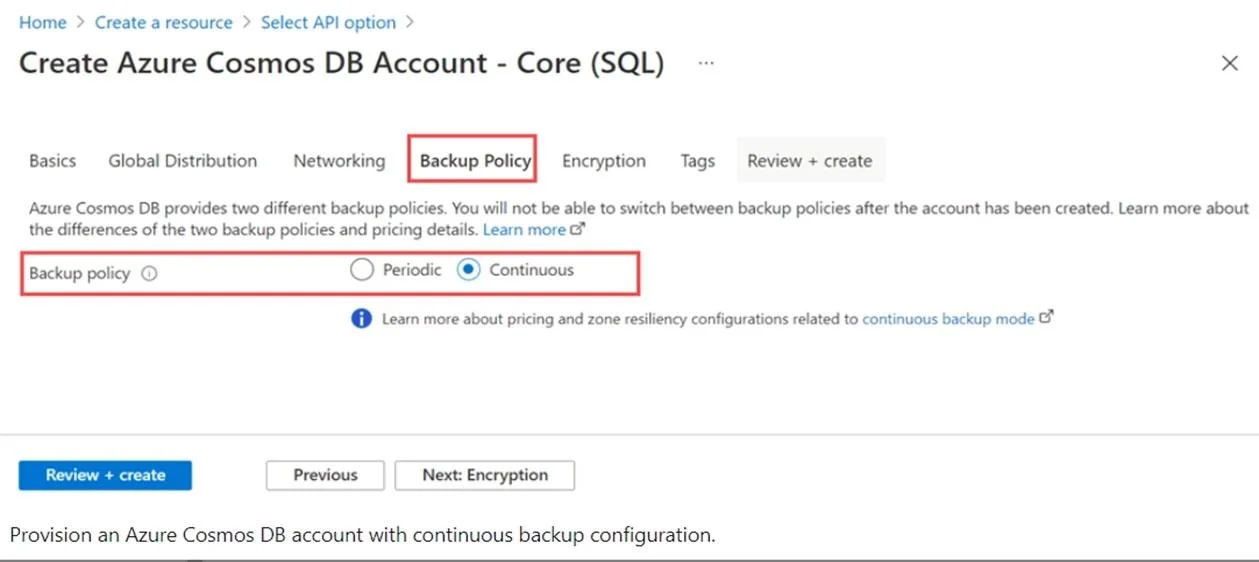
The correct answer is A. Enable Continuous Backup for the account. When creating a new Azure Cosmos DB account, in the Backup policy tab, choose continuous mode to enable the point in time restore functionality for the new account. With the point-in-time restore, data is restored to a new account, currently you can't restore to an existing…
Question
You have a database in an Azure Cosmos DB for NoSQL account. The database is backed up every two hours. You need to implement a solution that supports point-in-time restore. What should you do first?
Exhibit
Options
- AEnable Continuous Backup for the account.
- BConfigure the Backup & Restore settings for the account.
- CCreate a new account that has a periodic backup policy.
- DConfigure the Point In Time Restore settings for the account.
How the community answered
(39 responses)- A90% (35)
- B3% (1)
- C3% (1)
- D5% (2)
Explanation
When creating a new Azure Cosmos DB account, in the Backup policy tab, choose continuous mode to enable the point in time restore functionality for the new account. With the point-in-time restore, data is restored to a new account, currently you can't restore to an existing account. https://docs.microsoft.com/en-us/azure/cosmos-db/provision-account-continuous-backup
Topics
Community Discussion
No community discussion yet for this question.