
DP-420 · Question #23
You plan to create an Azure Cosmos DB for NoSQL account that will use customer-managed keys stored in Azure Key Vault. You need to configure an access policy in Key Vault to allow Azure Cosmos DB…
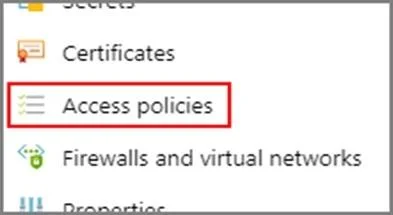
The correct answer is A. Wrap Key B. Get G. Unwrap Key. To Configure customer-managed keys for your Azure Cosmos account with Azure Key Vault: Add an access policy to your Azure Key Vault instance: 1. From the Azure portal, go to the Azure Key Vault instance that you plan to use to host your encryption keys. Select Access Policies…
Question
You plan to create an Azure Cosmos DB for NoSQL account that will use customer-managed keys stored in Azure Key Vault. You need to configure an access policy in Key Vault to allow Azure Cosmos DB access to the keys. Which three permissions should you enable in the access policy? Each correct answer presents part of the solution. NOTE: Each correct selection is worth one point.
Exhibit
Options
- AWrap Key
- BGet
- CList
- DUpdate
- ESign
- FVerify
- GUnwrap Key
How the community answered
(34 responses)- A91% (31)
- C3% (1)
- F6% (2)
Explanation
To Configure customer-managed keys for your Azure Cosmos account with Azure Key Vault: Add an access policy to your Azure Key Vault instance: 1. From the Azure portal, go to the Azure Key Vault instance that you plan to use to host your encryption keys. Select Access Policies from the left menu: 2. Select + Add Access Policy. 3. Under the Key permissions drop-down menu, select Get, Unwrap Key, and Wrap Key https://docs.microsoft.com/en-us/azure/cosmos-db/how-to-setup-cmk
Topics
Community Discussion
No community discussion yet for this question.