
DP-300 · Question #65
Case Study 1 - Litware, Inc Overview Litware, Inc. is a renewable energy company that has a main office in Boston. The main office hosts a sales department and the primary datacenter for the…
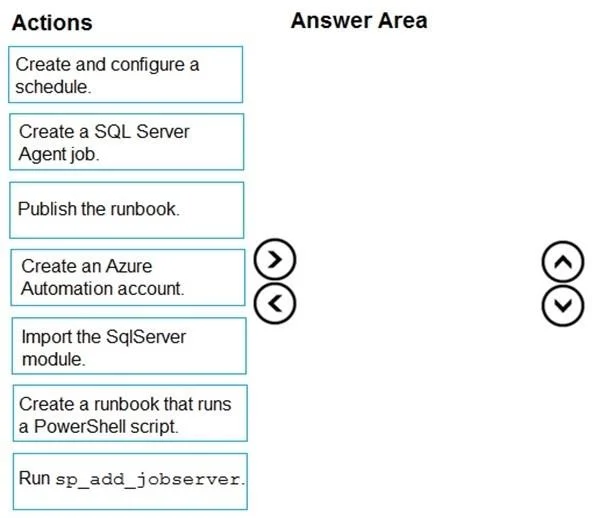
The question appears to be cut off, but based on the context of automating a SQL Server task using Azure Automation with a PowerShell runbook, the correct ordered sequence for setting up Azure Automation to run a scheduled SQL Server script would be: (1) Create an Azure…
Question
Exhibit
Answer Area
Drag items
Explanation
The question appears to be cut off, but based on the context of automating a SQL Server task using Azure Automation with a PowerShell runbook, the correct ordered sequence for setting up Azure Automation to run a scheduled SQL Server script would be: (1) Create an Azure Automation account, (2) Import the SqlServer module, (3) Create a runbook that runs a PowerShell script, (4) Publish the runbook, (5) Create and configure a schedule. This sequence follows the logical dependency chain - you must have an Automation account before creating runbooks, modules must be imported before the runbook can use them, and a runbook must be published before scheduling can be applied. 'Create a SQL Server Agent job' and 'Run sp_add_jobserver' are SQL Server Agent constructs used for on-premises SQL Server job scheduling, not Azure Automation workflows, making them incorrect for an Azure Automation solution.
Topics
Community Discussion
No community discussion yet for this question.