
DP-300 · Question #376
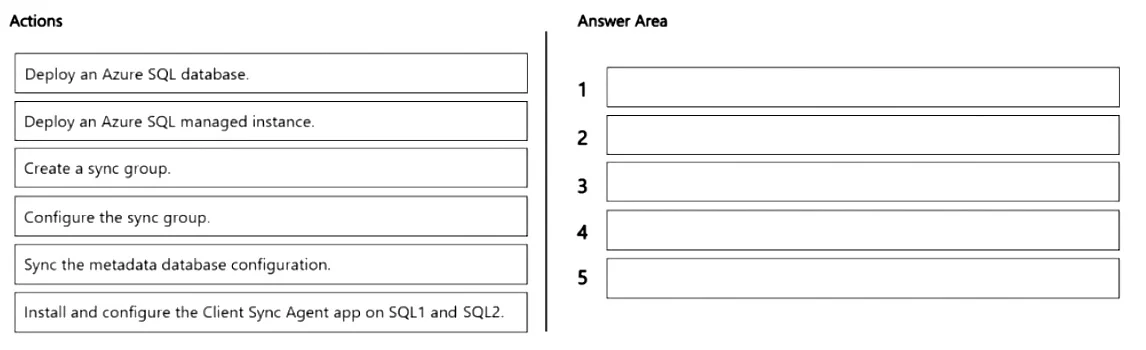
Drag and Drop Question You have two on-premises Microsoft SQL Server instances named SQL1 and SQL2. You have an Azure subscription. You need to sync a subset of tables between the databases hosted…
The correct answer is Deploy an Azure SQL database.; Create a sync group.; Install and configure the Client Sync Agent app on SQL1 and SQL2.; Sync the metadata database configuration.; Configure the sync group. SQL Data Sync requires an Azure SQL Database (not a Managed Instance) to act as the hub database that coordinates synchronization. The correct sequence is: first deploy an Azure SQL Database as the hub, then create a sync group associated with that hub, install and configure…
Question
Exhibit
Answer Area
Drag items
Correct arrangement
- Deploy an Azure SQL database.
- Create a sync group.
- Install and configure the Client Sync Agent app on SQL1 and SQL2.
- Sync the metadata database configuration.
- Configure the sync group.
Explanation
SQL Data Sync requires an Azure SQL Database (not a Managed Instance) to act as the hub database that coordinates synchronization. The correct sequence is: first deploy an Azure SQL Database as the hub, then create a sync group associated with that hub, install and configure the Client Sync Agent on the on-premises SQL Server instances (SQL1 and SQL2) to enable connectivity, sync the metadata database configuration so the agent registers the on-premises databases with the sync group, and finally configure the sync group to define which tables and columns to sync, along with sync direction and frequency. This order ensures prerequisites are in place before each dependent step.
Topics
Community Discussion
No community discussion yet for this question.