nerdexam
Microsoft

DP-300 · Question #347

SIMULATION You need to ensure that db1 supports a minimum of one vCore, a maximum of four vCores, and a database of up to 45 GB. To complete this task, sign in to the virtual machine. You may need…

The correct approach uses the Azure portal to navigate to the db1 database settings and configure the vCore purchasing model with Min vCores: 1, Max vCores: 4, and Max storage: 45 GB. This is accomplished through the Pricing tier/Configure link on the database's Overview blade…

Submitted by anna_se· Mar 6, 2026Configure and manage Azure SQL Database compute and storage resources, including selecting appropriate service tiers and hardware configurations to meet minimum and maximum vCore and storage requirements.

Question

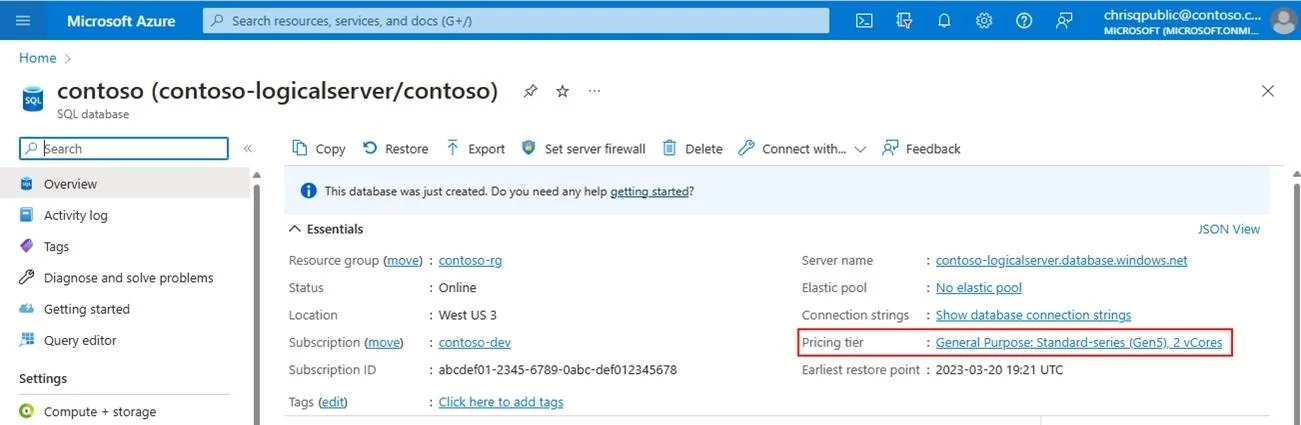
SIMULATION You need to ensure that db1 supports a minimum of one vCore, a maximum of four vCores, and a database of up to 45 GB. To complete this task, sign in to the virtual machine. You may need to use SQL Server Management Studio and the Azure portal. Answer: vCore purchasing model - Azure SQL Database Select hardware configuration You can select hardware configuration for a database or elastic pool in SQL Database at the time of creation. You can also change hardware configuration of an existing database or elastic pool. To select a hardware configuration when creating a SQL Database or pool Step 1: Start Azure portal Step 2: Go the Azure SQL page, select db1. Step 3: On the Overview page, select the Pricing tier link: Step 4: Select the Change configuration link: Step 5: Select the desired hardware configuration: Specify: Max vCores: 4 Max storage: 45 GB Reference: https://learn.microsoft.com/en-us/azure/azure-sql/database/service-tiers-sql-database-vcore

Exhibit

DP-300 question #347 exhibit

Explanation

The correct approach uses the Azure portal to navigate to the db1 database settings and configure the vCore purchasing model with Min vCores: 1, Max vCores: 4, and Max storage: 45 GB. This is accomplished through the Pricing tier/Configure link on the database's Overview blade, which exposes the serverless or provisioned vCore scaling options. The vCore model is required (not DTU) because DTU-based tiers do not offer independent min/max vCore configuration - that granularity is specific to the vCore (Serverless) tier in Azure SQL Database.

Topics

#Azure SQL Database#vCore purchasing model#Serverless tier#Database scaling

Community Discussion

No community discussion yet for this question.

Full DP-300 Practice