
DP-203 · Question #353
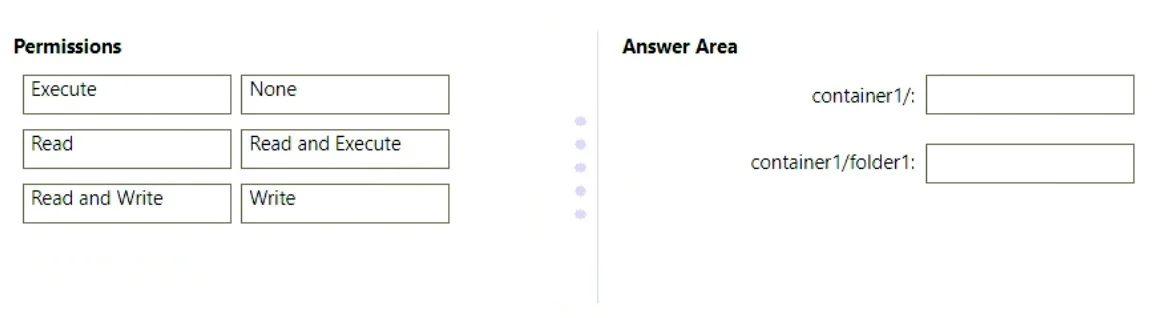
Drag and Drop Question You have an Azure subscription that contains an Azure Data Lake Storage Gen2 account named account1 and a user named User1. In account1, you create a container named…
The correct answer is container1/: Execute; container1/folder1: Read and Execute. In Azure Data Lake Storage Gen2, to list and read files in folder1, User1 needs Read and Execute permissions on folder1 itself - Read to access file contents and Execute (traverse) to list the directory's contents. For container1 (the parent directory), User1 only needs Execute…
Question
Exhibit
Answer Area
Drag items
Correct arrangement
- container1/: Execute
- container1/folder1: Read and Execute
Explanation
In Azure Data Lake Storage Gen2, to list and read files in folder1, User1 needs Read and Execute permissions on folder1 itself - Read to access file contents and Execute (traverse) to list the directory's contents. For container1 (the parent directory), User1 only needs Execute permission to traverse into it without being able to read or list its other contents, satisfying the principle of least privilege. This ACL inheritance model requires Execute on each parent directory in the path so the user can navigate down to the target folder without gaining broader access.
Topics
Community Discussion
No community discussion yet for this question.