
DP-203 · Question #168
Drag and Drop Question You have data stored in thousands of CSV files in Azure Data Lake Storage Gen2. Each file has a header row followed by a properly formatted carriage return (/r) and line feed…
The correct answer is Create a database scoped credential that uses Azure Active Directory Application and a Service Principal Key; Create an external data source that uses the abfs location; Create an external file format and set the First_Row option; Use CREATE EXTERNAL TABLE AS SELECT (CETAS) and configure the reject options to specify reject values or percentages. To load CSV files into Azure Synapse Analytics using PolyBase while skipping header rows, you must follow a specific sequence: First, create a database scoped credential using an Azure Active Directory Application and Service Principal Key to authenticate access to ADLS Gen2…
Question
Exhibit
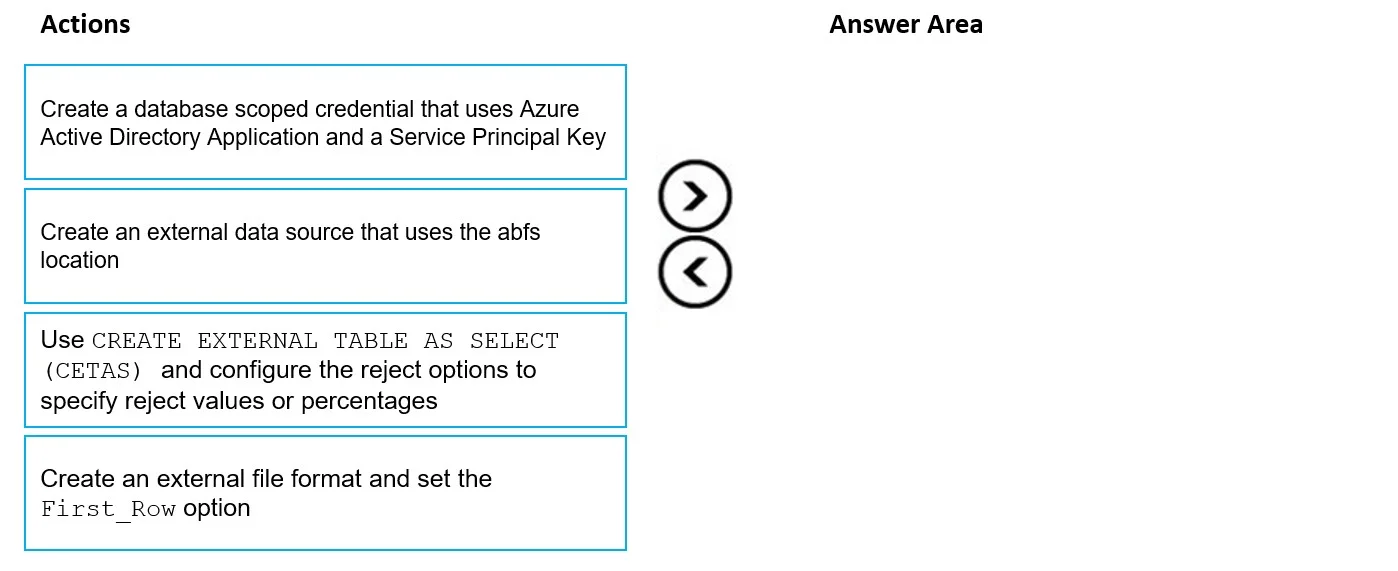
Answer Area
Drag items
Correct arrangement
- Create a database scoped credential that uses Azure Active Directory Application and a Service Principal Key
- Create an external data source that uses the abfs location
- Create an external file format and set the First_Row option
- Use CREATE EXTERNAL TABLE AS SELECT (CETAS) and configure the reject options to specify reject values or percentages
Explanation
To load CSV files into Azure Synapse Analytics using PolyBase while skipping header rows, you must follow a specific sequence: First, create a database scoped credential using an Azure Active Directory Application and Service Principal Key to authenticate access to ADLS Gen2. Second, create an external data source pointing to the ADLS Gen2 container using the 'abfs://' (Azure Blob File System) location, referencing the credential. Third, create an external file format specifying the file type as CSV and setting the FIRST_ROW option to '2' to skip the header row - this is the key setting that tells PolyBase to begin reading data from the second row onward.
Topics
Community Discussion
No community discussion yet for this question.