
DP-203 · Question #166
Drag and Drop Question You need to build a solution to ensure that users can query specific files in an Azure Data Lake Storage Gen2 account from an Azure Synapse Analytics serverless SQL pool…
The correct answer is Create an external data source; Create an external file format object; Create an external table. To query files in Azure Data Lake Storage Gen2 from a Synapse serverless SQL pool, you must first create an External Data Source to define the connection to the storage account, then create an External File Format to specify how the files are structured (e.g., Parquet, CSV…
Question
Exhibit
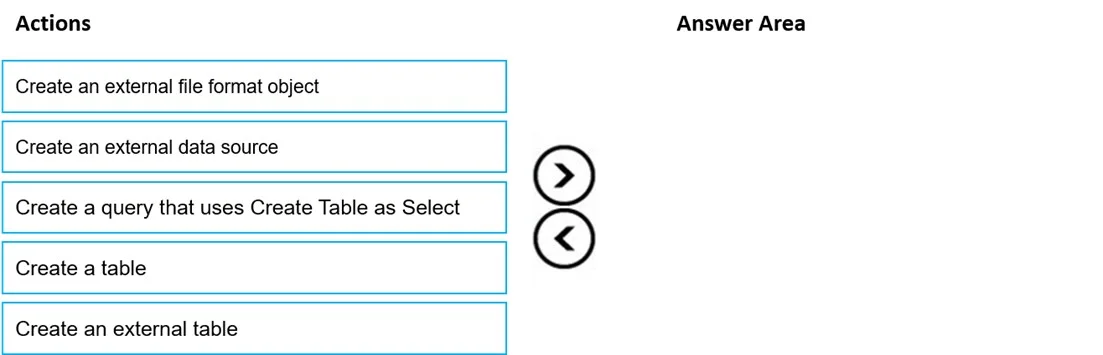
Answer Area
Drag items
Correct arrangement
- Create an external data source
- Create an external file format object
- Create an external table
Explanation
To query files in Azure Data Lake Storage Gen2 from a Synapse serverless SQL pool, you must first create an External Data Source to define the connection to the storage account, then create an External File Format to specify how the files are structured (e.g., Parquet, CSV, JSON), and finally create an External Table that maps to the files using both the data source and file format. This three-step sequence establishes the metadata layer that allows the serverless SQL pool to query the files without ingesting the data, following the PolyBase external table pattern.
Topics
Community Discussion
No community discussion yet for this question.