
DP-100 · Question #102
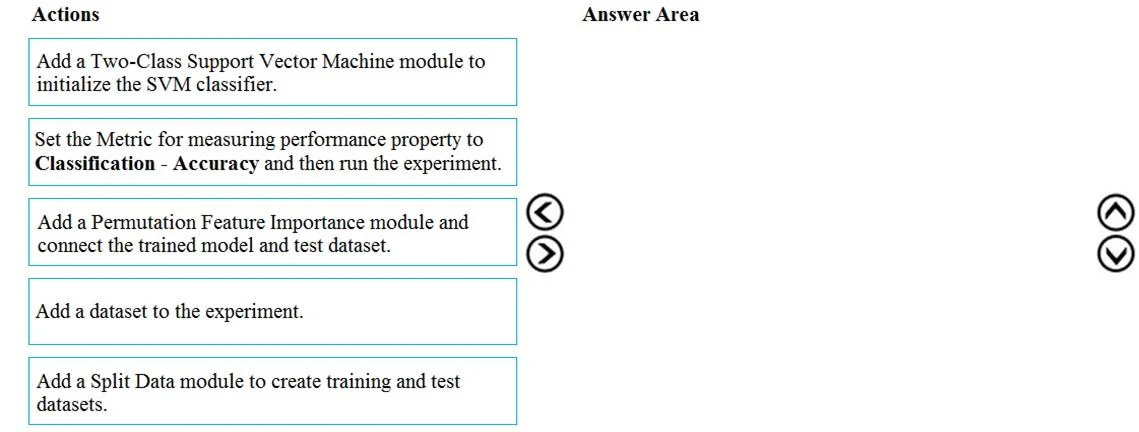
Drag and Drop Question YOU have a data-set that contains over 150 features. You use the dataset to train a Support Vector Machine (SVM) binary classifirer. You need to use the Permutation Feature…
The correct answer is A. Add a Two-Class Support Vector Machine module to initialize the SVM classifier. B. Set the Metric for measuring performance property to Classification - Accuracy and then run the experiment. C. Add a Permutation Feature Importance module and connect the trained model and test dataset. D. Add a dataset to the experiment. E. Add a Split Data module to create training and test datasets. The correct sequence of actions for calculating Permutation Feature Importance for an SVM model in Azure Machine Learning Studio involves data ingestion, data splitting, model initialization, applying the feature importance module, and finally running the experiment.
Question
Exhibit
Options
- AAdd a Two-Class Support Vector Machine module to initialize the SVM classifier.
- BSet the Metric for measuring performance property to Classification - Accuracy and then run the experiment.
- CAdd a Permutation Feature Importance module and connect the trained model and test dataset.
- DAdd a dataset to the experiment.
- EAdd a Split Data module to create training and test datasets.
How the community answered
(54 responses)- D100% (54)
Why each option
The correct sequence of actions for calculating Permutation Feature Importance for an SVM model in Azure Machine Learning Studio involves data ingestion, data splitting, model initialization, applying the feature importance module, and finally running the experiment.
Concept tested: The underlying technical concept being tested is the standard workflow for building a machine learning experiment in Azure Machine Learning Studio, specifically involving data preparation, model training (implicit), and the application of advanced interpretability techniques like Permutation Feature Importance. It assesses knowledge of module dependencies and the logical flow of operations in a machine learning pipeline.
Topics
Community Discussion
No community discussion yet for this question.