nerdexam
CompTIA

CS0-003 · Question #435

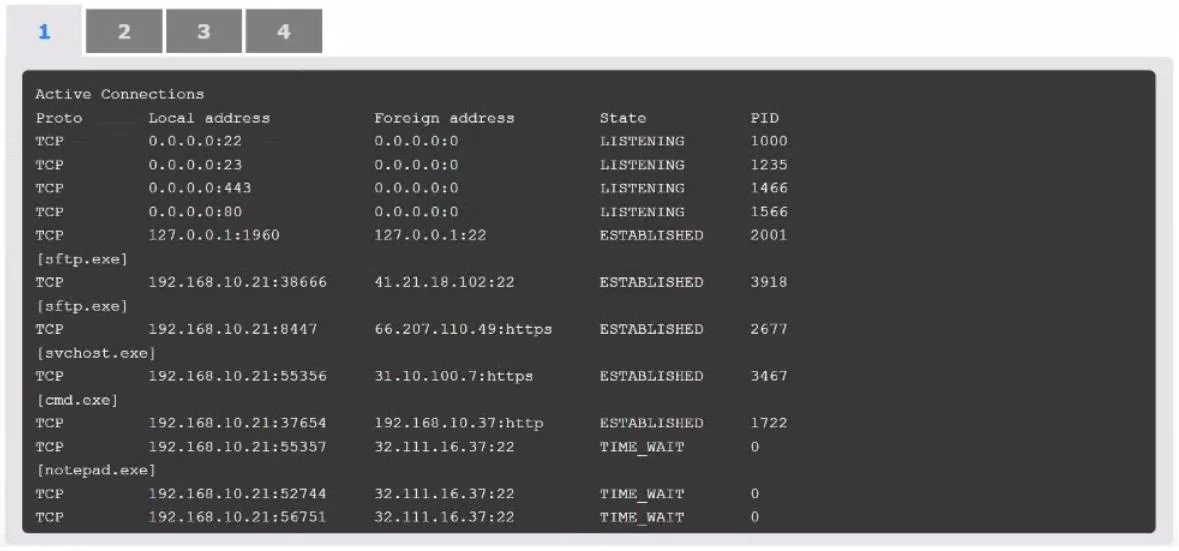
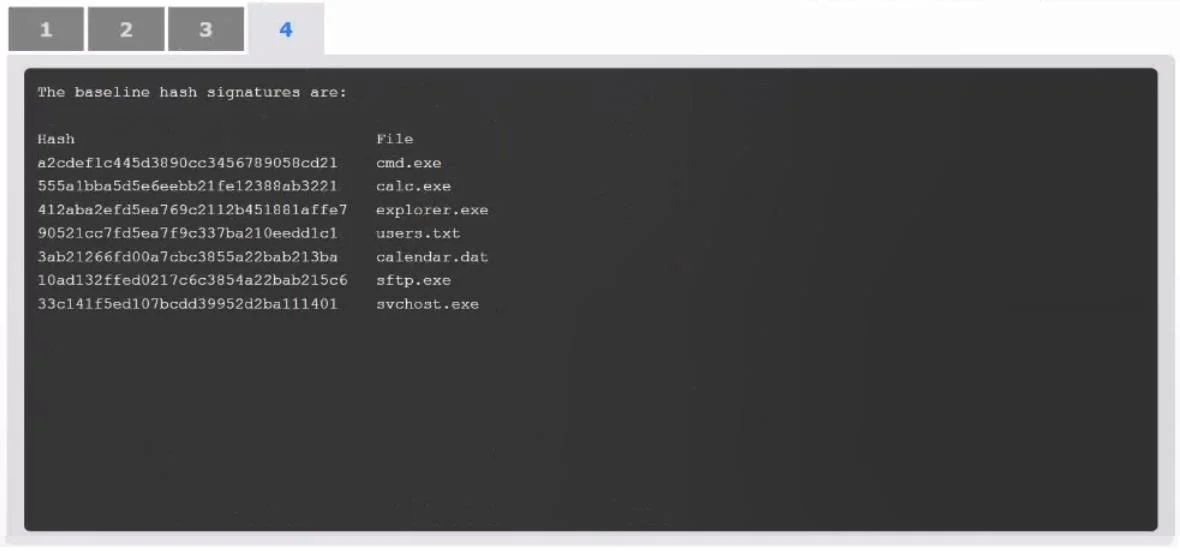
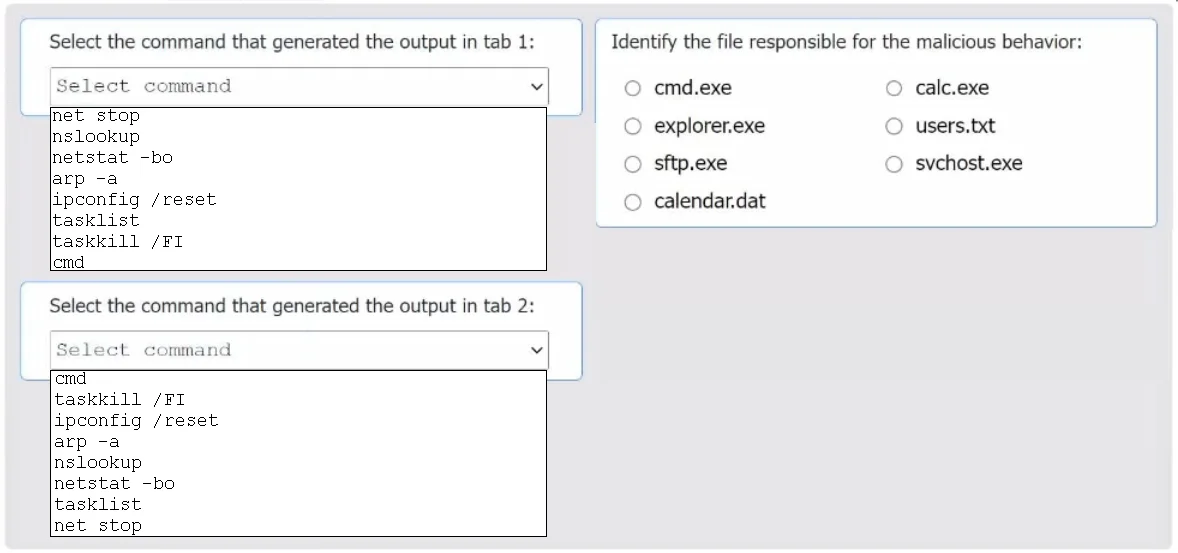
SIMULATION An organization has noticed large amounts of data are being sent out of its network. An analyst is identifying the cause of the data exfiltration. INSTRUCTIONS Select the command that gener

The command 'netstat -bo' is correct for Tab 1 because it displays active network connections along with the owning process (the '-b' flag shows the executable involved in each connection, and '-o' shows the PID), making it the ideal tool for identifying suspicious outbound conne

Submitted by marco_it· Mar 6, 2026CompTIA Security+ / CySA+ - Threat Detection and Incident Response: Using native OS tools (netstat, tasklist) and hash verification to identify malicious processes and compromised system files responsible for unauthorized data exfiltration.

Question

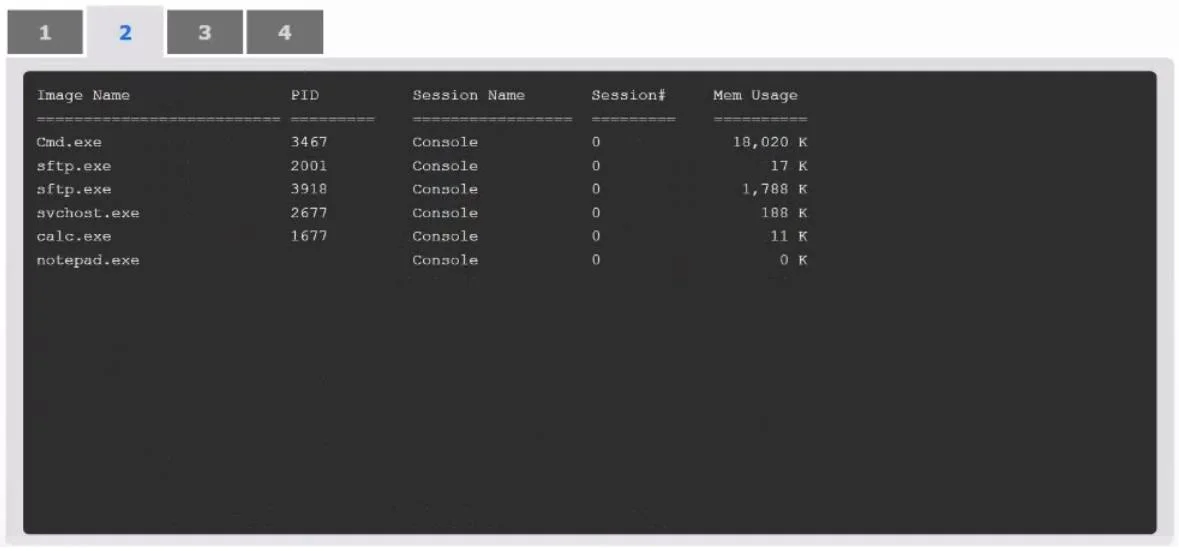
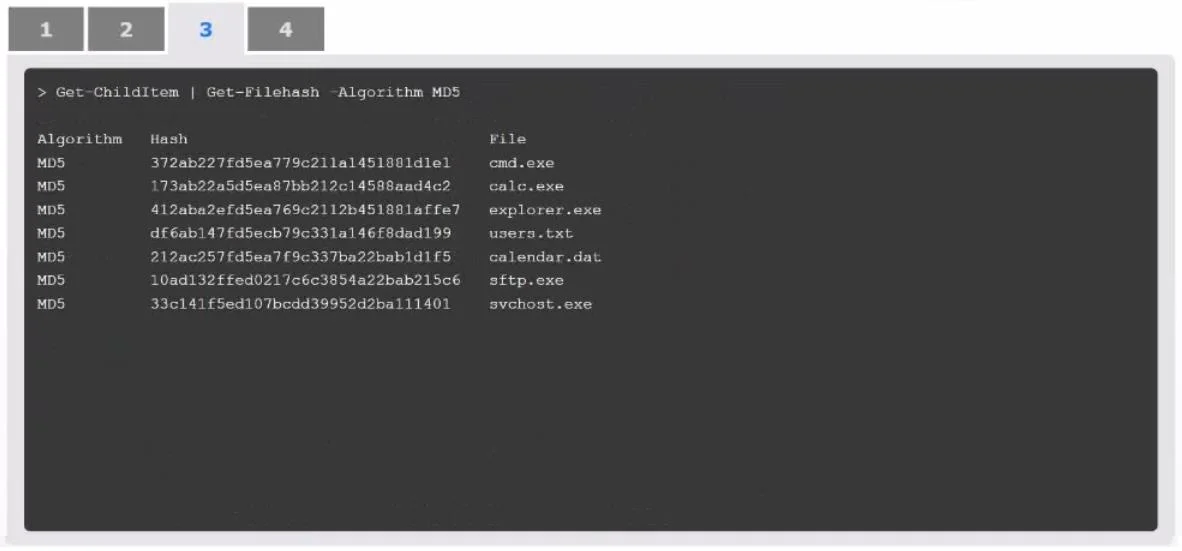
SIMULATION An organization has noticed large amounts of data are being sent out of its network. An analyst is identifying the cause of the data exfiltration. INSTRUCTIONS Select the command that generated the output in tabs 1 and 2. Review the output text in all tabs and identify the file responsible for the malicious behavior. If at any time you would like to bring back the initial state of the simulation, please click the Reset All button. Answer: Command generating the output in Tab 1 - netstat -bo The command displays active connections, their states, and the associated netstat -bo process IDs (PIDs). This matches the information shown in Tab 1. Command generating the output in Tab 2 - tasklist The tasklist command lists all running processes with their PIDs, session names, and memory usage, which aligns with the output in Tab 2. File responsible for malicious behavior - cmd.exe Based on the hash comparison in Tab 3 and Tab 4, the MD5 hash of cmd.exe does not match the baseline, indicating it has been modified. This suggests that is the source of cmd.exe malicious behavior (likely tampered with to facilitate the data exfiltration).

Exhibits

CS0-003 question #435 exhibit 1
CS0-003 question #435 exhibit 2
CS0-003 question #435 exhibit 3
CS0-003 question #435 exhibit 4
CS0-003 question #435 exhibit 5

Explanation

The command 'netstat -bo' is correct for Tab 1 because it displays active network connections along with the owning process (the '-b' flag shows the executable involved in each connection, and '-o' shows the PID), making it the ideal tool for identifying suspicious outbound connections. The 'tasklist' command is correct for Tab 2 because it enumerates all running processes with their PIDs, session names, and memory usage, allowing an analyst to cross-reference PIDs found in the netstat output. cmd.exe is identified as the malicious file because its MD5 hash in Tab 3 does not match the known-good baseline hash in Tab 4, indicating the binary has been tampered with or replaced - a classic indicator of a trojanized system binary used for data exfiltration.

Topics

#Network Forensics#Incident Response#Data Exfiltration#Windows CLI Tools

Community Discussion

No community discussion yet for this question.

Full CS0-003 Practice