
CKS · Question #64
Context: The kubeadm provisioned cluster was recently upgraded, leaving one node on a slightly older version due to workload compatibility concerns. Task: Upgrade the cluster node compute-0 to match…
To upgrade the 'compute-0' node to match the control plane's Kubernetes version, the test-taker must first drain the node, SSH into it, upgrade kubeadm, run 'kubeadm upgrade node', upgrade kubelet and kubectl, restart kubelet, exit the node, and finally uncordon it.
Question
ssh cks000034. Use a command like ssh compute-0 to connect to the compute node. Do not modify any running workloads in the cluster. Do not forget to exit from the compute node once you have completed your tasks.Exhibit
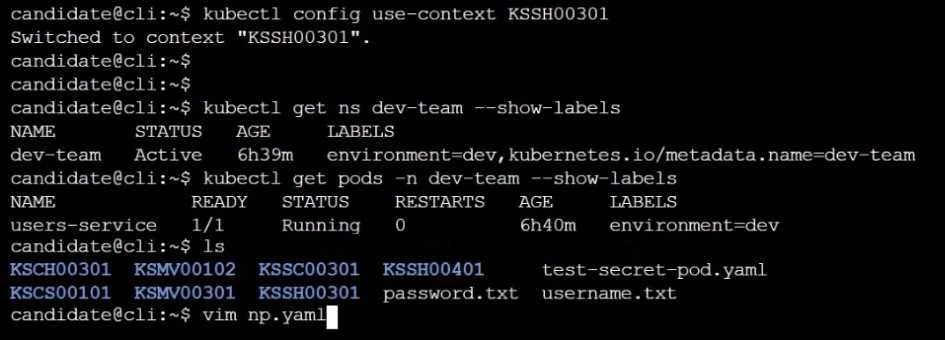
Explanation
To upgrade the 'compute-0' node to match the control plane's Kubernetes version, the test-taker must first drain the node, SSH into it, upgrade kubeadm, run 'kubeadm upgrade node', upgrade kubelet and kubectl, restart kubelet, exit the node, and finally uncordon it.
Approach. The task is to upgrade a worker node ('compute-0') in a kubeadm provisioned cluster to match the control plane's Kubernetes version, ensuring no disruption to running workloads. This requires a precise sequence of kubectl and kubeadm commands executed in a terminal:
- Determine the target Kubernetes version: From the initial administrative/control plane node (implied by starting with
ssh cks000034and havingkubectlconfigured), identify the control plane'skubeletversion. For example:K8S_VERSION=$(kubectl get nodes -o jsonpath='{.items[?(@.metadata.labels.node-role\.kubernetes\.io/control-plane)].status.nodeInfo.kubeletVersion}' | cut -d'v' -f2) # Example: K8S_VERSION would be '1.28.0' if control plane is v1.28.0 - Drain the worker node
compute-0(on admin/control plane node): Evict all pods fromcompute-0to prevent workload interruption, fulfilling the 'Do not modify any running workloads' constraint.kubectl drain compute-0 --ignore-daemonsets --delete-local-data - SSH into the worker node
compute-0(from admin/control plane node):ssh compute-0 - Upgrade
kubeadmoncompute-0: Update thekubeadmpackage to the target version. (Assuming Debian/Ubuntu withaptfor package management):sudo apt-get update sudo apt-get install -y kubeadm=${K8S_VERSION}-00 # E.g., kubeadm=1.28.0-00 - Run
kubeadm upgrade nodeoncompute-0: This command updates static pods, certificates, and other cluster components managed bykubeadmon the node.sudo kubeadm upgrade node - Upgrade
kubeletandkubectloncompute-0: Update the remaining Kubernetes packages to the target version.sudo apt-get install -y kubelet=${K8S_VERSION}-00 kubectl=${K8S_VERSION}-00 # E.g., kubelet=1.28.0-00 kubectl=1.28.0-00 - Restart
kubeletservice oncompute-0: This ensures the newkubeletbinaries and configurations are loaded.sudo systemctl daemon-reload sudo systemctl restart kubelet - Exit from
compute-0: As instructed, exit the worker node's SSH session.exit - Uncordon
compute-0(back on admin/control plane node): Markcompute-0as schedulable again so it can receive new workloads.kubectl uncordon compute-0 - Verify the upgrade (optional but highly recommended): Confirm that
compute-0now reports the correct Kubernetes version.kubectl get nodes
Common mistakes.
- common_mistake. Common mistakes include:
- Forgetting to drain and uncordon: Not draining the node (
kubectl drain) before upgrade would violate the 'Do not modify any running workloads' constraint by abruptly terminating pods. Forgetting to uncordon (kubectl uncordon) after the upgrade would leave the node unschedulable, preventing new pods from being deployed on it. - Incorrect package version: Not explicitly specifying the exact target version (e.g.,
kubeadm=1.28.0-00) duringapt-get install(oryum install) might install a different or incompatible version, or even downgrade components. - Incorrect command execution order or location: Running
kubeadm upgrade nodebeforekubeadmitself is updated, or attempting to upgradekubelet/kubectlbeforekubeadm upgrade nodecould lead to inconsistent states. Also, some commands (kubectl drain,kubectl uncordon) must be run from the control plane/administrative machine, while others (kubeadmand package upgrades) must be run directly on thecompute-0node via SSH. - Not restarting
kubelet: After upgrading thekubeletbinary, the service must be reloaded and restarted for the changes to take effect. - Misinterpreting images as interactive: The provided static images are not interactive and should not be confused with hotspots, drag-and-drop elements, or configuration panels. Time spent trying to interact with them would be wasted.
Concept tested. Kubernetes cluster node lifecycle management, specifically the process of upgrading a worker node in a kubeadm provisioned cluster. This includes understanding the kubeadm upgrade workflow, proper node maintenance procedures (kubectl drain and kubectl uncordon), and Linux package management for Kubernetes components (kubeadm, kubelet, kubectl).
Topics
Community Discussion
No community discussion yet for this question.