
CKAD · Question #12
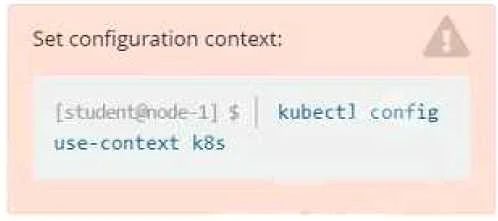
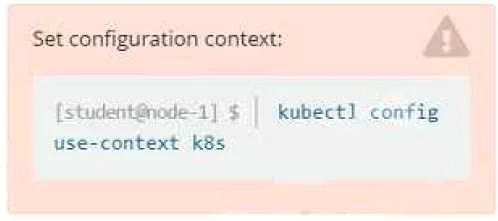
Context: Set configuration context: [student@node-1] $ kubectl config use-context nk8s Task: A deployment is falling on the cluster due to an incorrect image being specified. Locate the deployment…
The task requires the test-taker to locate a failing Kubernetes deployment, identify the incorrect image specified within its configuration, and correct it using kubectl edit.
Question
Exhibits
Explanation
The task requires the test-taker to locate a failing Kubernetes deployment, identify the incorrect image specified within its configuration, and correct it using kubectl edit.
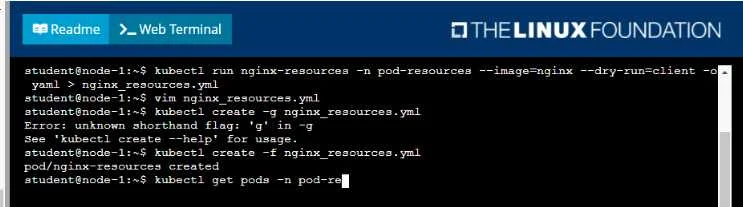
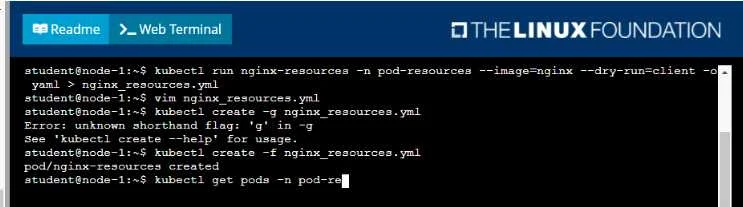
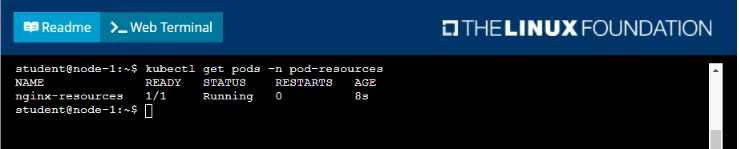
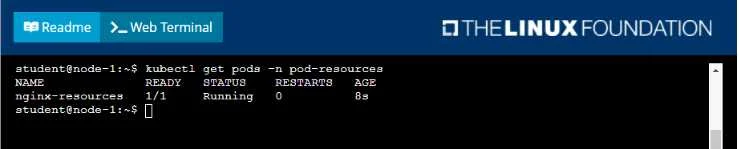
Approach. The core of the task is to fix a 'failing deployment' due to an 'incorrect image'. The provided terminal output shows a pod that is running, which contradicts the problem description. This implies the provided images are either a red herring, or only show the initial context, and the actual failing deployment is elsewhere on the cluster.
Here's the step-by-step correct interaction:
- Set the Kubernetes context: The task context explicitly states
kubectl config use-context nk8s. This command should be executed first to ensure interactions are with the correct cluster. - Locate the failing deployment: Since the task states 'A deployment is falling' and the
nginx-resourcespod shown is running, the test-taker must look for deployments. To find all deployments across all namespaces, use:kubectl get deployments -A(orkubectl get deploy -A). - Identify the problematic deployment: Look for deployments with non-ready replicas, or whose associated pods are in a
CrashLoopBackOfforErrImagePullstate. This might require further investigation usingkubectl get pods -n <namespace>for pods related to the deployments, orkubectl describe deployment <deployment-name> -n <namespace>. - Edit the deployment: Once the failing deployment (e.g.,
my-bad-deploymentinmy-namespace) is identified, use thekubectl editcommand to modify its configuration:kubectl edit deployment my-bad-deployment -n my-namespace. - Correct the image name: Inside the editor (e.g.,
vi), navigate to thespec.template.spec.containers[0].imagefield. This field will contain the incorrectly specified image. Correct it to the appropriate, valid image name (e.g., changenginx:latestttonginx:latestormy-wrong-registry/my-app:v1tomy-correct-registry/my-app:v1). - Save and exit: Save the changes and exit the editor (
:wqinvi/vim). Kubernetes will automatically update the deployment, and new pods will be created with the corrected image.
Common mistakes.
- common_mistake. A common mistake would be to assume the
nginx-resourcespod shown in the exhibit is the 'deployment' referred to in the task, and try to debug it. This is incorrect because:- The task explicitly refers to a 'deployment', not a 'pod'.
- The
nginx-resourcespod is shown as 'Running' and 'READY 1/1', indicating it is not 'falling' due to an incorrect image. - Trying to re-create or delete the
nginx-resourcespod would not address the actual problem of a failing deployment somewhere else on the cluster. Another mistake would be to usekubectl set imagewithout first identifying the correct deployment, or to directly modify a pod's image, which would be overwritten by its controlling deployment.
Concept tested. This question tests the candidate's ability to:
- Navigate and troubleshoot Kubernetes clusters using
kubectl. - Understand the difference between Pods and Deployments.
- Identify and debug failing Kubernetes resources (specifically Deployments and associated Pods).
- Use
kubectl get,kubectl describe, andkubectl editcommands effectively. - Understand the structure of Kubernetes resource definitions (especially
imagespecification within a Deployment's pod template). - Apply critical thinking to distinguish between information provided in exhibits and the actual problem statement.
Reference. https://kubernetes.io/docs/concepts/workloads/controllers/deployment/
Topics
Community Discussion
No community discussion yet for this question.