
CKA · Question #34
List "nginx-dev" and "nginx-prod" pod and delete those pods
The task requires exiting the text editor and then using kubectl get pods to list and kubectl delete pod to remove the specified Kubernetes pods, 'nginx-dev' and 'nginx-prod'.
Question
Exhibits
Explanation
The task requires exiting the text editor and then using kubectl get pods to list and kubectl delete pod to remove the specified Kubernetes pods, 'nginx-dev' and 'nginx-prod'.
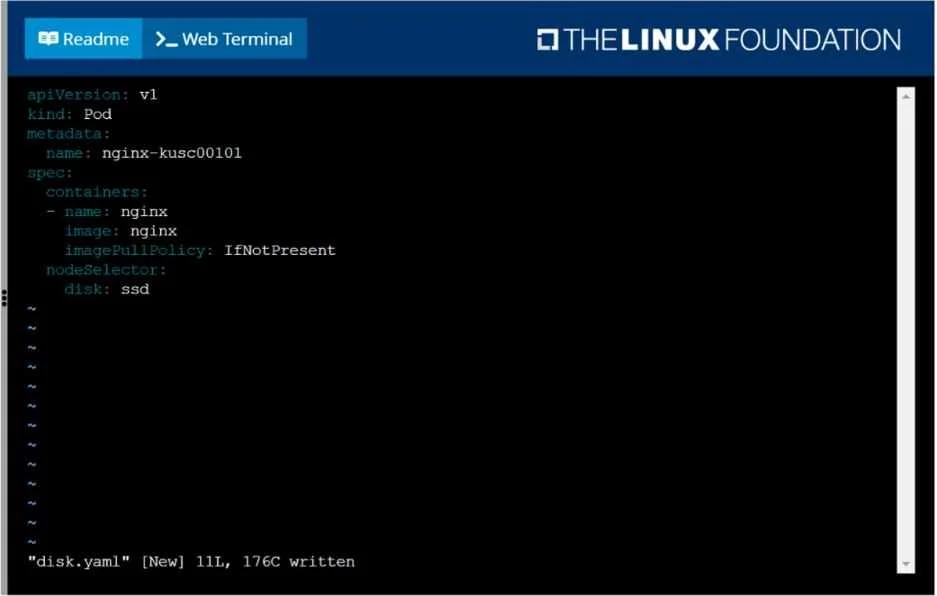
Approach. The core task is to list and delete specific Kubernetes pods ('nginx-dev' and 'nginx-prod'). The current screen shows a text editor, not a command prompt. Therefore, the correct interaction involves a sequence of commands:
-
Exit the text editor: First, the user must exit the currently open text editor to return to the command prompt. If using a
vi-like editor, pressEscto ensure command mode, then type:q(to quit) or:q!(to quit without saving any accidental modifications, which is safer as this file is unrelated to the task). PressEnter. -
List the specified pods: Once at the command prompt, use the
kubectlcommand to list the pods mentioned in the question:kubectl get pod nginx-dev nginx-prod. This command will display information about the 'nginx-dev' and 'nginx-prod' pods, confirming their existence and status.- Alternatively,
kubectl get podscan be used to list all pods, and then visually identify 'nginx-dev' and 'nginx-prod'.
- Alternatively,
-
Delete the specified pods: Finally, use the
kubectlcommand to delete the pods:kubectl delete pod nginx-dev nginx-prod. This command will terminate and remove the 'nginx-dev' and 'nginx-prod' pods from the cluster.
Common mistakes.
- common_mistake. A common mistake would be to interact with the
disk.yamlfile or thenginx-kusc00101pod it defines. The question specifically asks for actions on 'nginx-dev' and 'nginx-prod', making the displayed YAML file a potential distraction. Attempts to create, modify, or delete thenginx-kusc00101pod would be incorrect. Another mistake would be to try typingkubectlcommands while still in the text editor, which would result in modifying thedisk.yamlfile instead of executing commands. Forgetting to exit the editor, or using incorrectkubectlsyntax (e.g.,kubectl delete podsinstead ofkubectl delete podwhen specifying individual pod names) would also lead to failure.
Concept tested. This question tests fundamental Kubernetes pod management using the kubectl command-line interface. Specifically, it assesses the ability to list (kubectl get) and delete (kubectl delete) specific pods. It also implicitly tests basic proficiency in navigating a Linux terminal environment, including exiting a text editor like vi or vim.
Topics
Community Discussion
No community discussion yet for this question.