
CAS-005 · Question #392
SIMULATION An incident occurred at Site A when an attacker successfully caused water pressure to increase in the pump room. The organization is concerned about reoccurrence of this attack and that…
ICS/SCADA Incident Response: Exam Explanation Overall Goal The attack exploited a flat network (no segmentation) to reach industrial control systems (SCADA/PLCs/pumps) and manipulate physical processes. The two-part response is: 1. Immediate remediation - remove the attacker's…
Question
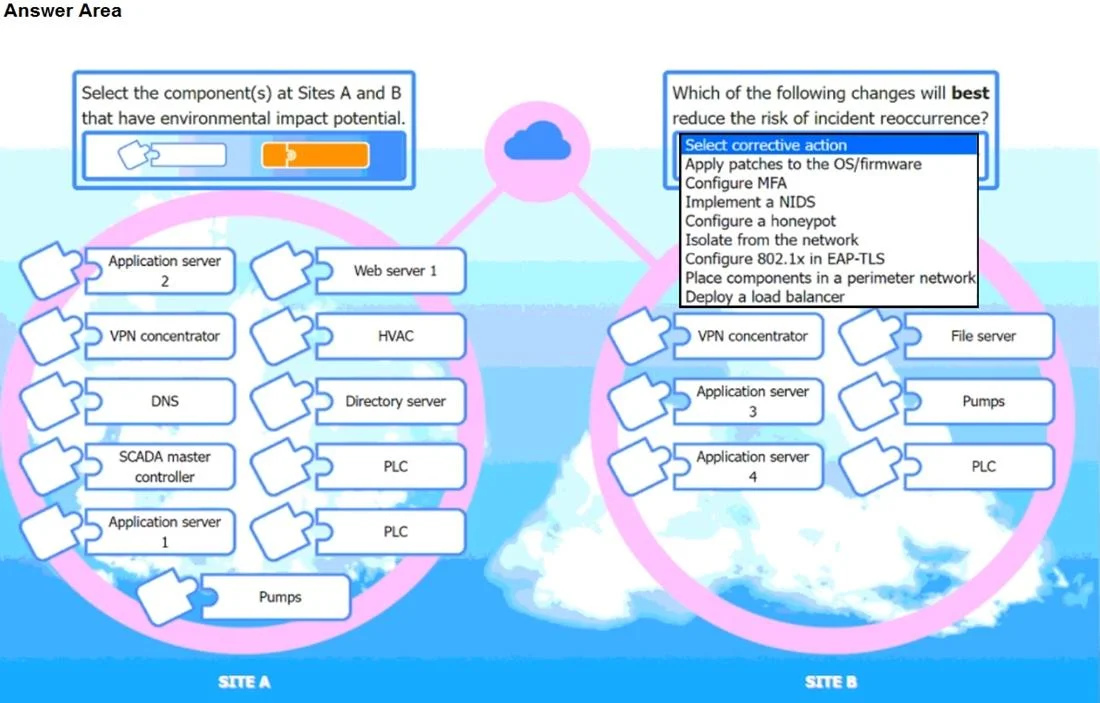
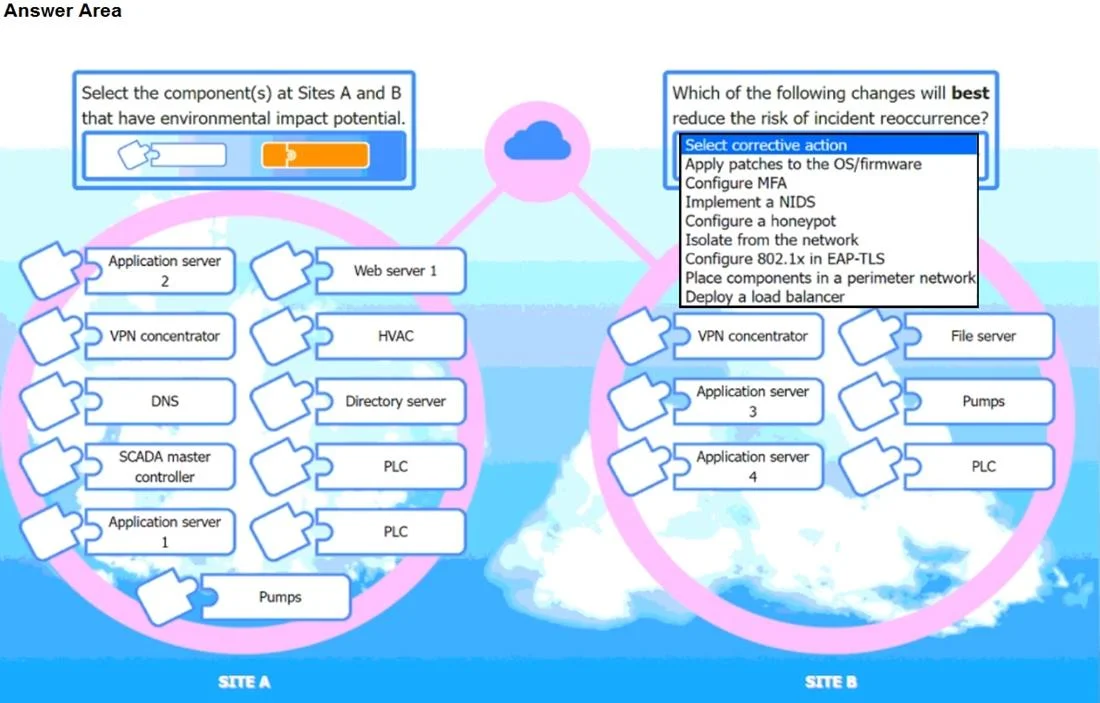
SIMULATION An incident occurred at Site A when an attacker successfully caused water pressure to increase in the pump room. The organization is concerned about reoccurrence of this attack and that similar attacks might be successful on other cyber-physical systems within the network. All devices and components reside on a flat network within the 10.1.0.0/16 space. INSTRUCTIONS Take the appropriate actions to reduce the risk of reoccurrence of this and other environmental security vulnerabilities. Select the component(s) at Sites A and B that have environmental impact potential. Then, select the corrective action that will best reduce the risk of incident reoccurrence. If at any time you would like to bring back the initial state of the simulation, please click the Reset All button. Answer:
At Site A:
SCADA master controller – Controls and monitors physical processes. PLC (both) – Programmable Logic Controllers directly interface with pumps/valves. Pumps – Direct environmental impact (increased water pressure in incident). At Site B:
PLC – As above, interfaces with physical systems. Pumps – As above, environmental impact through pressure, flow, etc. Corrective Action – Isolate from the network The devices reside on a flat network, increasing risk. Isolation (e.g., segmentation or VLANs) limits lateral movement and access to critical cyber-physical systems (CPS) like PLCs and pumps.
Exhibits
Explanation
ICS/SCADA Incident Response: Exam Explanation
Overall Goal
The attack exploited a flat network (no segmentation) to reach industrial control systems (SCADA/PLCs/pumps) and manipulate physical processes. The two-part response is:
- Immediate remediation - remove the attacker's foothold (malicious process + persistence mechanism)
- Structural fix - network segmentation to prevent recurrence
The procedure below addresses part 1: evicting the attacker from a compromised host that may have been used as a pivot or direct control point.
Step-by-Step Reasoning
Step 1: Find the Malicious TCP Process
sudo netstat -tulnp
Why: Attackers maintain access via open network connections (reverse shells, C2 listeners). netstat -tulnp shows all listening/established TCP/UDP connections with the owning process ID (PID). Unusual ports (4444, 1337, 31337) are red flags - legitimate ICS services use known ports (Modbus:502, DNP3:20000, OPC:4840).
If skipped: You won't know which process to kill, and the attacker retains live access.
Step 2: Verify the Suspect Process
ps aux | grep <PID>
Why: Confirms the process is actually malicious before killing it. A legitimate process on an odd port (e.g., a vendor tool) would be falsely terminated. You check the binary path, user context, and command-line arguments.
If skipped: Risk of killing a legitimate ICS process, which could itself cause a physical incident (e.g., stopping a pump control daemon).
Step 3: Terminate the Process
sudo kill <PID>
# or
sudo killall <process-name>
Why: Drops the attacker's active session immediately. kill sends SIGTERM (graceful); if the process ignores it, use kill -9 (SIGKILL, forced). This severs the live connection but does not prevent restart.
If skipped: Attacker remains connected and can continue manipulating physical systems in real time.
Step 4: Find the Persistence Mechanism
systemctl list-units --type=service
Why: Sophisticated attackers install a systemd service so their malicious process restarts automatically on reboot or if killed. Without addressing persistence, killing the process is only a temporary fix - it comes back. Suspicious service names are often designed to blend in (e.g., network-helper.service) but sometimes are obvious (revshell.service).
If skipped: After the next reboot (or immediately via restart policy), the attacker regains access. Your remediation was theater.
Step 5: Inspect the Suspicious Service
systemctl status <service>
cat /etc/systemd/system/<service>.service
Why: Confirms it is malicious before disabling. Also reveals the binary path so you can delete the payload file afterward. The .service file shows ExecStart= (what it runs) and Restart=always (auto-restart behavior).
If skipped: You might disable the wrong service, or miss the payload binary that needs to be deleted.
Step 6: Disable Then Stop the Service
sudo systemctl disable <service>   # removes from startup
sudo systemctl stop <service>      # stops it now
Why - order matters: disable removes the symlink from systemd's boot targets (prevents future starts). stop halts the current instance. Doing stop first without disable means it restarts on next boot. Doing disable first without stop leaves it running now.
If done out of order: Stop-only = still restarts on reboot. Disable-only = still running right now.
Why Network Segmentation Is the Root-Fix
The procedural steps above remediate the compromised host. The structural corrective action is segmentation:
| Flat Network Risk | Segmented Network Benefit |
|---|---|
| Any host can reach PLCs/SCADA | OT devices isolated in their own VLAN/zone |
| Lateral movement is trivial | Firewall rules enforce least-privilege access |
| One breach = full ICS access | Breach of IT zone cannot directly reach OT zone |
Selecting "Isolate from the network" in the simulation means placing SCADA, PLCs, and pumps behind a DMZ or OT-specific VLAN with strict ingress/egress rules - consistent with IEC 62443 and NIST SP 800-82 (Guide to ICS Security).
Memory Aid
"Find, Verify, Kill - then Find, Inspect, Disable+Stop"
- FVK for the live process (netstat -> ps -> kill)
- FIDS for the persistence (list services -> inspect -> disable -> stop)
Think of it as two cleanup passes: evict the squatter, then change the locks.
Topics
Community Discussion
No community discussion yet for this question.