
CAS-005 · Question #135
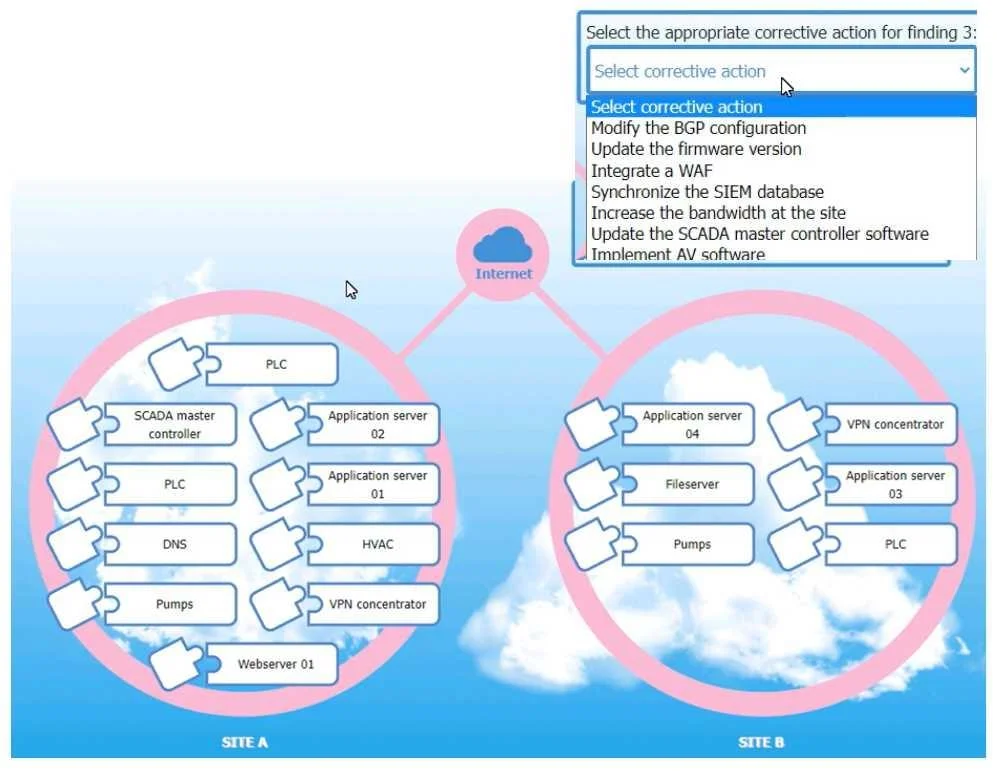
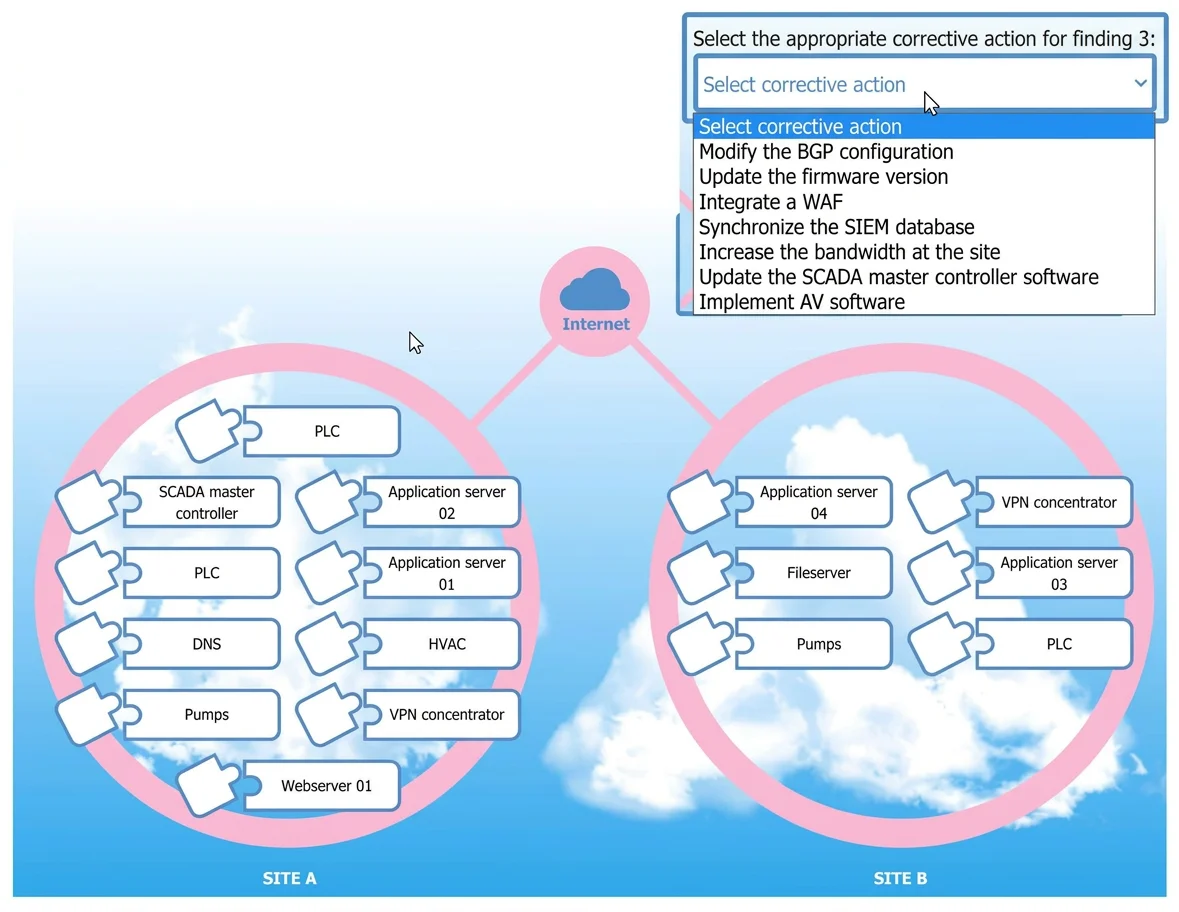
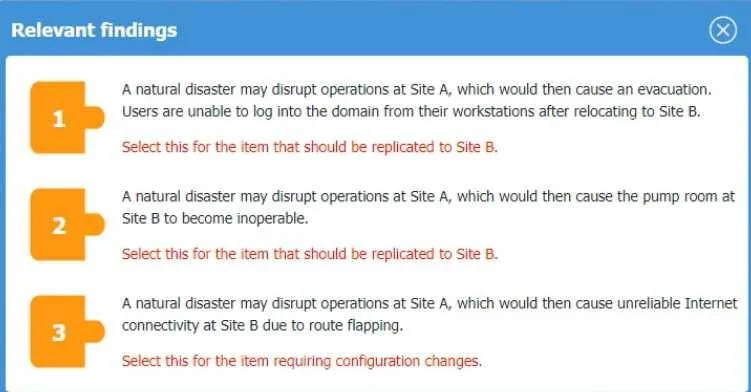
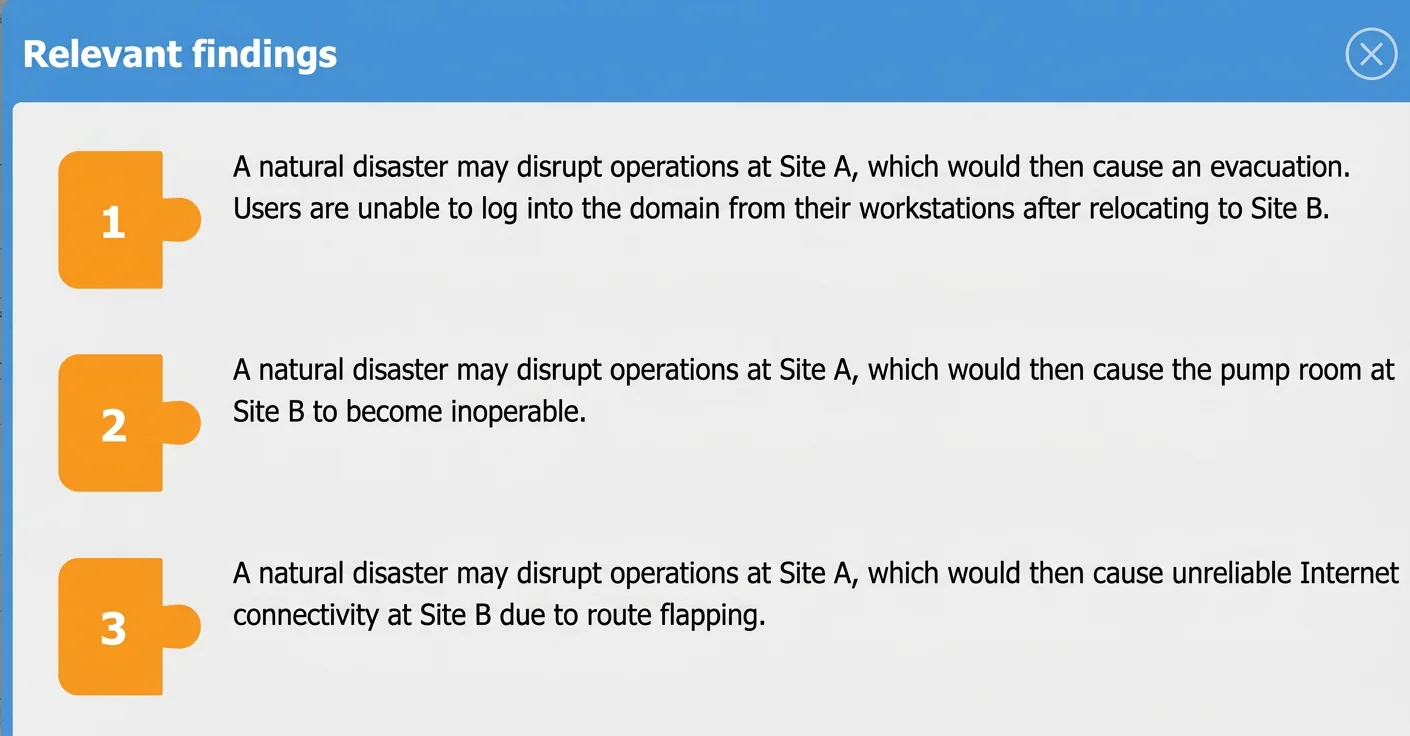
SIMULATION An organization is planning for disaster recovery and continuity of operations, and has noted the following relevant findings: 1. A natural disaster may disrupt operations at Site A…
Disaster Recovery Simulation: Site A Failover to Site B Overall Goal This simulation tests your ability to map failure symptoms to their root causes in a disaster recovery scenario. The core skill is: given a symptom at Site B after Site A goes down, identify which system…
Question
Exhibits
Explanation
Disaster Recovery Simulation: Site A Failover to Site B
Overall Goal
This simulation tests your ability to map failure symptoms to their root causes in a disaster recovery scenario. The core skill is: given a symptom at Site B after Site A goes down, identify which system failed to replicate or which configuration needs fixing. Getting this right is the foundation of Business Continuity Planning (BCP) and Disaster Recovery Planning (DRP).
Finding 1 - Users Can't Log Into the Domain
Affected Host: DNS | Action: Replicate DNS to Site B
When users can't authenticate to a Windows domain, the first suspect is DNS, not the domain controller itself. Active Directory authentication relies on DNS to locate domain controllers (via SRV records). If Site A's DNS server goes down and Site B has no replica, workstations at Site B can't resolve _ldap._tcp.domain.local - so login fails entirely.
Why replication fixes it: A replicated DNS server at Site B answers those queries locally, restoring domain authentication without depending on Site A.
If skipped: You might waste time blaming the domain controller or user credentials, missing that DNS is the prerequisite service that makes domain login possible at all.
Common mistake: Choosing "Domain Controller" instead of "DNS." While a DC is also needed, the specific symptom - inability to log in - maps most precisely to DNS resolution failure.
Finding 2 - Pump Room at Site B Becomes Inoperable
Affected Host: Pumps | Action: Replicate Pumps (control systems/configs) to Site B
This is the most literal finding. "Pump room inoperable" maps directly to pump control systems. In industrial/facility contexts, pump control logic, configurations, and SCADA data may be centralized at Site A. If those aren't replicated, operators at Site B can't manage the equipment.
Why replication fixes it: Having the pump control systems mirrored at Site B means operations can continue locally even if Site A is completely offline.
If skipped: Critical physical infrastructure (HVAC, water systems, cooling) could fail during a disaster, compounding the emergency beyond IT into physical safety.
Finding 3 - Unreliable Internet Due to Route Flapping
Affected Host: VPN Concentrator | Action: Modify the BGP configuration
Route flapping = a route repeatedly appearing and disappearing from routing tables, causing unstable connectivity. This is a routing protocol problem, not a hardware failure. The VPN Concentrator is the correct host because it manages site-to-site routing and is where BGP is typically configured for inter-site WAN connectivity.
Why BGP modification fixes it: BGP has tunable parameters (route dampening, hold timers, minimum advertisement intervals) that suppress flapping routes and enforce stability before advertising a path. Modifying these settings prevents unstable routes from propagating.
Why not "replicate" here: Unlike findings 1 and 2, this isn't a missing service - the VPN concentrator exists at Site B. The problem is a misconfiguration, so the fix is configuration change, not replication.
If skipped: Connectivity remains unreliable, causing dropped VPN tunnels, failed backups, and inconsistent access to cloud or Site A resources during recovery.
What Goes Wrong Without Order/Accuracy
| Error | Consequence |
|---|---|
| Replicating DC instead of DNS for Finding 1 | Login may still fail; root cause unaddressed |
| Choosing "Router" instead of "VPN Concentrator" for Finding 3 | Misses that BGP is managed at the concentrator layer |
| Choosing "Add a static route" instead of "Modify BGP" | Static routes don't solve flapping; BGP dampening does |
Memory Tips
- Can't log in -> DNS first. Authentication chains depend on name resolution.
- Physical room fails -> physical host. Don't over-engineer; "pump room" = "Pumps."
- Flapping = BGP. Route instability is BGP's domain. Dampening is the cure.
- Replication vs. Configuration: Ask yourself - is the service missing, or is it misconfigured? Missing -> replicate. Misconfigured -> change settings.
Topics
Community Discussion
No community discussion yet for this question.