
AZ-900 · Question #204
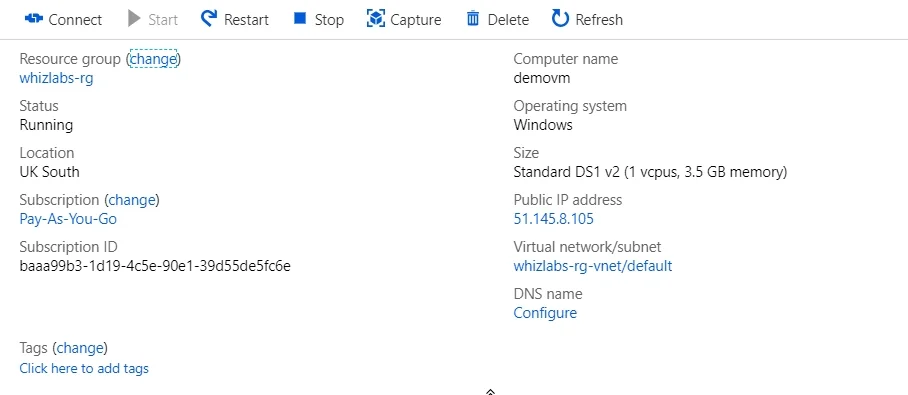
A company has just deployed a Virtual Machine named demovm to Azure. The overview of the Virtual Machine is shown below. The company needs to know if the underlying infrastructure in Azure hosting…
The correct answer is C. The Virtual Machine blade. You can see for any service health issues for the infrastructure of the Virtual Machine in the VM blade itself. Just go to Resource health as shown below: Option A is incorrect since this is used to provide recommendations in Azure. Option B is incorrect since this is used for…
Question
Exhibits
Options
- AAzure Advisor
- BAzure AD
- CThe Virtual Machine blade
- DAzure Monitor
How the community answered
(34 responses)- A3% (1)
- B12% (4)
- C79% (27)
- D6% (2)
Explanation
You can see for any service health issues for the infrastructure of the Virtual Machine in the VM blade itself. Just go to Resource health as shown below: Option A is incorrect since this is used to provide recommendations in Azure. Option B is incorrect since this is used for identity management. Option D is incorrect since will give you the health of the entire Azure Infrastructure but will not specifically let you know on the infrastructure health for just the Virtual Machine. https://docs.microsoft.com/en-us/azure/service-health/resource-health-overview
Community Discussion
No community discussion yet for this question.