
AZ-900 · Question #138
Hotspot Question You plan to extend your company's network to Azure. The network contains a VPN appliance that uses an IP address of 131.107.200.1. You need to create an Azure resource that…
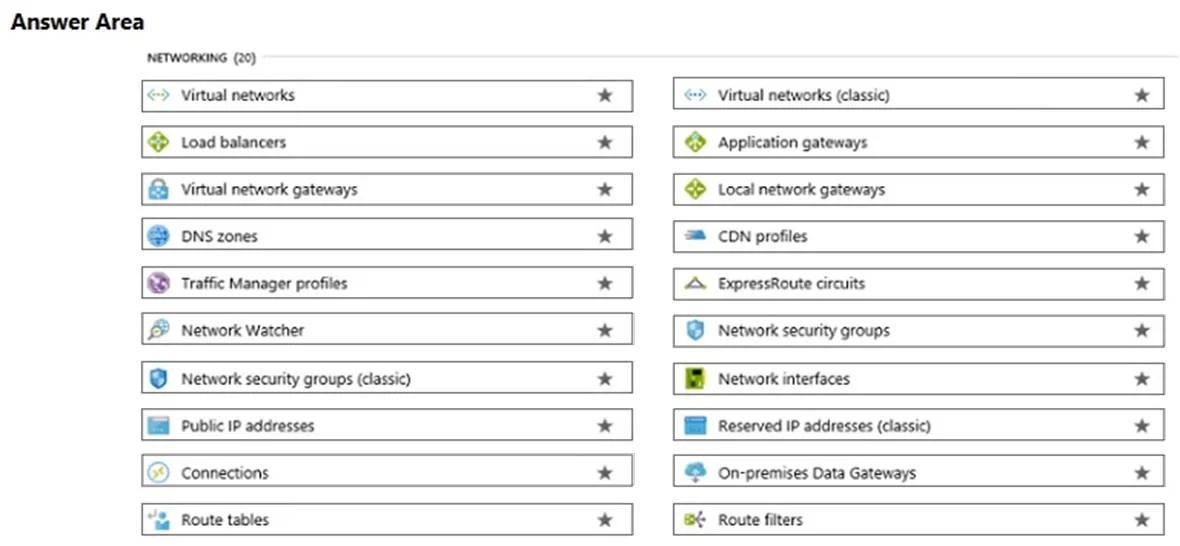
The correct answer is Select the appropriate resource: Local network gateways. To identify an on-premises VPN appliance for a hybrid network connection in Azure, you must create a Local Network Gateway resource.
Question
Exhibit
Answer Area
- Select the appropriate resourceLocal network gatewaysVirtual networksLoad balancersVirtual network gatewaysDNS zonesTraffic Manager profilesNetwork WatcherNetwork security groups (classic)Public IP addressesConnectionsRoute tablesVirtual networks (classic)Application gatewaysLocal network gatewaysCDN profilesExpressRoute circuitsNetwork security groupsNetwork interfacesReserved IP addresses (classic)On-premises Data GatewaysRoute filters
Explanation
To identify an on-premises VPN appliance for a hybrid network connection in Azure, you must create a Local Network Gateway resource.
Approach. The question asks to identify an on-premises VPN appliance (with a given IP address) within Azure to extend the company's network. When establishing a site-to-site VPN connection between an on-premises network and an Azure Virtual Network, Azure needs a representation of the on-premises location. The 'Local network gateway' Azure resource serves this exact purpose. It represents the on-premises VPN device and the on-premises network address space, allowing Azure to route traffic correctly to and from the on-premises network. Therefore, selecting 'Local network gateways' is the correct action.
Common mistakes.
- common_mistake. Selecting 'Virtual network gateways' is a common mistake. A Virtual Network Gateway is the Azure-side VPN device that establishes the connection to the on-premises network, but it does not identify the on-premises VPN appliance. 'Connections' are used to establish the link between the Azure Virtual Network Gateway and the Local Network Gateway, not to identify the on-premises device itself. 'Virtual networks' define the private IP space in Azure, and 'Public IP addresses' are for Azure resources, not to represent an external VPN device. Other options like Load balancers, DNS zones, or Network Security Groups serve completely different functions within Azure networking and are not relevant to identifying an on-premises VPN appliance for hybrid connectivity.
Concept tested. The core concept tested is the understanding of Azure's hybrid networking components, specifically the role and purpose of a Local Network Gateway in representing an on-premises VPN device and network for site-to-site VPN connections.
Reference. null
Topics
Community Discussion
No community discussion yet for this question.