
AZ-801 · Question #180
You have an Active Directory Domain Services (AD DS) domain that contains 1,000 users. The domain has the following password requirements: - The minimum password length must be 12 characters…
To apply different password policies to a specific security team while minimizing impact on other users in an Active Directory domain, Fine-Grained Password Policies (FGPP) via Password Settings Objects (PSOs) must be used.
Question
Exhibit
Explanation
To apply different password policies to a specific security team while minimizing impact on other users in an Active Directory domain, Fine-Grained Password Policies (FGPP) via Password Settings Objects (PSOs) must be used.
Approach. The core problem requires applying a different password policy to a specific subset of users (the security team) within a single Active Directory domain, without affecting other users. In Active Directory Domain Services, this is achieved through Fine-Grained Password Policies (FGPP), which are implemented using Password Settings Objects (PSOs). The correct interaction in the answer area would involve selecting options that perform the following steps: 1. Create a new Password Settings Object (PSO). This PSO would be configured with the specific requirements for the security team: minimum password length of 16 characters, passwords expiring in 60 days, and complexity requirements enabled. 2. Apply or link this newly created PSO directly to the security group containing the members of the security team. This ensures that the stricter password policy is applied only to the targeted security team members, while all other users continue to be governed by the domain's default password policy, thereby minimizing the impact on non-security team members.
Common mistakes.
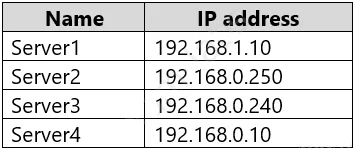
- common_mistake. A common mistake would be to attempt to modify the Default Domain Policy. Doing so would apply the stricter password requirements (16 characters, 60-day expiry) to all 1,000 users in the domain, directly violating the requirement to 'minimize the impact on users who are NOT members of the security team.' Another incorrect approach would be to create a new Group Policy Object (GPO) with the desired password settings and link it to an Organizational Unit (OU) containing the security team. Standard password policy settings (like minimum length, complexity, and age) are applied at the domain level; a GPO linked to an OU cannot override the domain-level password policy for these specific settings. Fine-Grained Password Policies (PSOs) were introduced specifically to overcome this limitation. Finally, attempting to use the information from the provided server IP table would be incorrect, as it is irrelevant to the AD DS password policy scenario.
Concept tested. Active Directory Domain Services (AD DS) Fine-Grained Password Policies (FGPP) and Password Settings Objects (PSOs), and the understanding of how to apply differentiated password policies within a single domain.
Topics
Community Discussion
No community discussion yet for this question.