
AZ-500 · Question #71
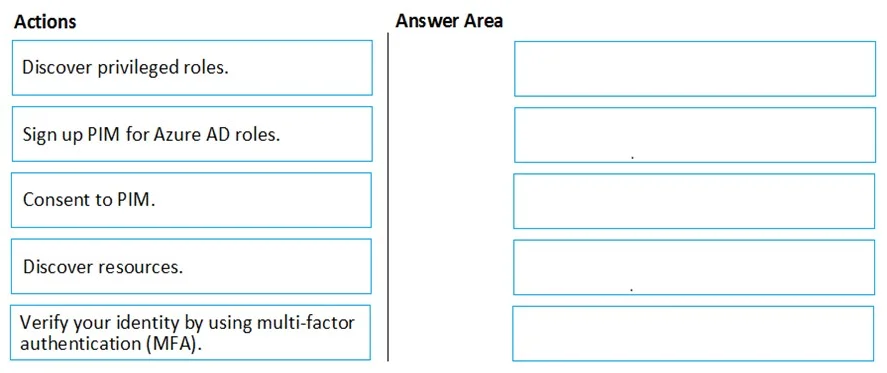
Drag and Drop Question You create an Azure subscription with Azure AD Premium P2. You need to ensure that you can use Azure Active Directory (Azure AD) Privileged Identity Management (PIM) to secure…
The correct answer is Consent to PIM.; Verify your identity by using multi-factor authentication (MFA).; Sign up PIM for Azure AD roles. To enable Azure AD PIM for Azure AD roles, you must follow a specific onboarding sequence: first, Consent to PIM (agreeing to the terms and granting PIM access to your directory), then Verify your identity using MFA (a security requirement to confirm you are who you claim to be…
Question
Exhibit
Answer Area
Drag items
Correct arrangement
- Consent to PIM.
- Verify your identity by using multi-factor authentication (MFA).
- Sign up PIM for Azure AD roles.
Explanation
To enable Azure AD PIM for Azure AD roles, you must follow a specific onboarding sequence: first, Consent to PIM (agreeing to the terms and granting PIM access to your directory), then Verify your identity using MFA (a security requirement to confirm you are who you claim to be before making privileged changes), and finally Sign up PIM for Azure AD roles (formally activating PIM to manage Azure AD roles). This sequence ensures proper authorization and identity verification before PIM is fully activated for role management.
Topics
Community Discussion
No community discussion yet for this question.