
AZ-500 · Question #507
Drag and Drop Question You have an Azure subscription named Sub1 that contains the storage accounts shown in the following table. The storage3 storage account is encrypted by using customer-managed…
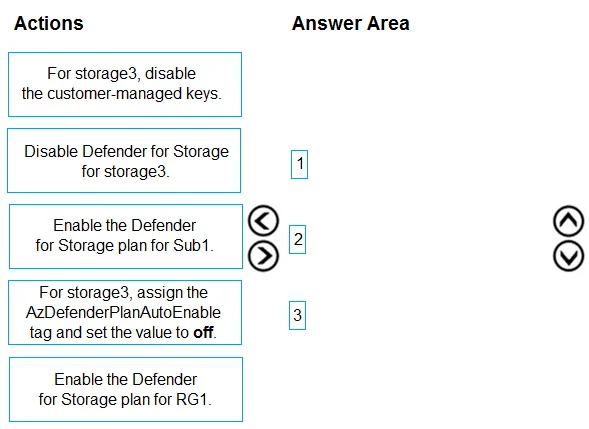
The correct answer is Enable the Defender for Storage plan for Sub1.; For storage3, assign the AzDefenderPlanAutoEnable tag and set the value to off.; Disable Defender for Storage for storage3. The correct sequence is: (1) Enable Defender for Storage at the subscription level (Sub1) to automatically protect all storage accounts including storage1 and storage2. (2) Tag storage3 with 'AzDefenderPlanAutoEnable = off' to signal exclusion intent before disabling, which is…
Question
Exhibit
Answer Area
Drag items
Correct arrangement
- Enable the Defender for Storage plan for Sub1.
- For storage3, assign the AzDefenderPlanAutoEnable tag and set the value to off.
- Disable Defender for Storage for storage3.
Explanation
The correct sequence is: (1) Enable Defender for Storage at the subscription level (Sub1) to automatically protect all storage accounts including storage1 and storage2. (2) Tag storage3 with 'AzDefenderPlanAutoEnable = off' to signal exclusion intent before disabling, which is the proper method to prevent auto-enablement on that specific resource. (3) Explicitly disable Defender for Storage on storage3 to ensure it is excluded from protection, since subscription-level enablement would otherwise include it by default. This three-step approach leverages subscription-wide coverage while using resource-level overrides to exclude storage3.
Topics
Community Discussion
No community discussion yet for this question.