
AZ-400 · Question #453
Drag and Drop Question You have a GitHub organization that contains three users named User1, User2, and User3. You have a project that contains a repository named repo1. You need to configure…
The correct answer is Write; Triage; Maintain. User1 needs 'Write' access to actively push code to repo1, as Write is the minimum role that allows pushing commits. User2 needs 'Triage' access, which grants the ability to manage issues and pull requests (label, close, reopen, assign) without write access to the code itself…
Question
Exhibit
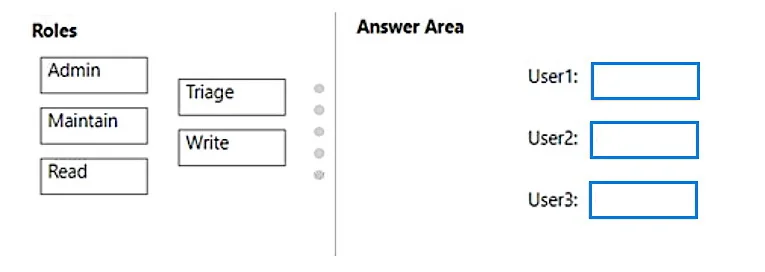
Answer Area
Drag items
Correct arrangement
- Write
- Triage
- Maintain
Explanation
User1 needs 'Write' access to actively push code to repo1, as Write is the minimum role that allows pushing commits. User2 needs 'Triage' access, which grants the ability to manage issues and pull requests (label, close, reopen, assign) without write access to the code itself. User3 needs 'Maintain' access rather than 'Admin' because Maintain allows managing the repository (settings, branches, webhooks, etc.) while explicitly preventing access to sensitive data such as repository secrets and security alerts - Admin would expose those sensitive settings, violating the requirement.
Topics
Community Discussion
No community discussion yet for this question.