
AZ-400 · Question #310
Drag and Drop Question You have a project in Azure DevOps named Project1 that contains two Azure DevOps pipelines named Pipeline1 and Pipeline2. You need to ensure that Pipeline1 can deploy code…
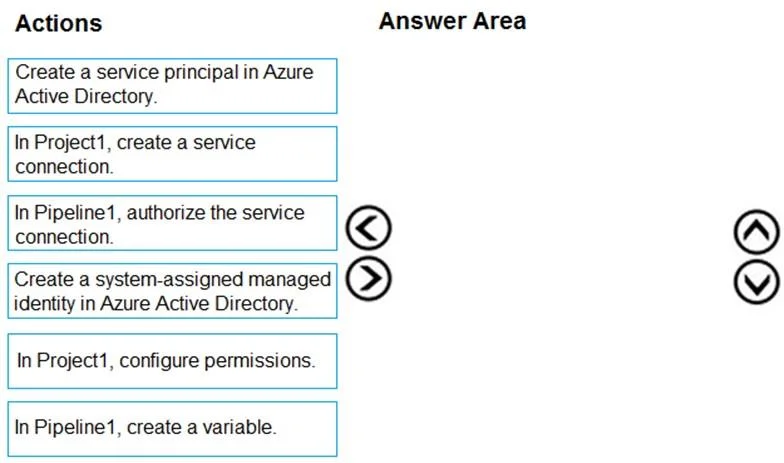
The correct answer is Create a service principal in Azure Active Directory.; In Project1, create a service connection.; In Pipeline1, authorize the service connection. To enable Pipeline1 to deploy to webapp1 while restricting Pipeline2, you must first create a service principal in Azure Active Directory to represent the identity with permissions to the web app. Next, you create a service connection in Project1 that uses that service…
Question
Exhibits
Answer Area
Drag items
Correct arrangement
- Create a service principal in Azure Active Directory.
- In Project1, create a service connection.
- In Pipeline1, authorize the service connection.
Explanation
To enable Pipeline1 to deploy to webapp1 while restricting Pipeline2, you must first create a service principal in Azure Active Directory to represent the identity with permissions to the web app. Next, you create a service connection in Project1 that uses that service principal to authenticate to Azure. Finally, you authorize the service connection specifically for Pipeline1 (not project-wide), ensuring only Pipeline1 can use it and Pipeline2 is excluded by default.
Topics
Community Discussion
No community discussion yet for this question.