
AZ-400 · Question #257
Drag and Drop Question You have an Azure subscription that contains a resources group named RG1. RG1 contains the following resources: - Four Azure virtual machines that run Windows Server and have…
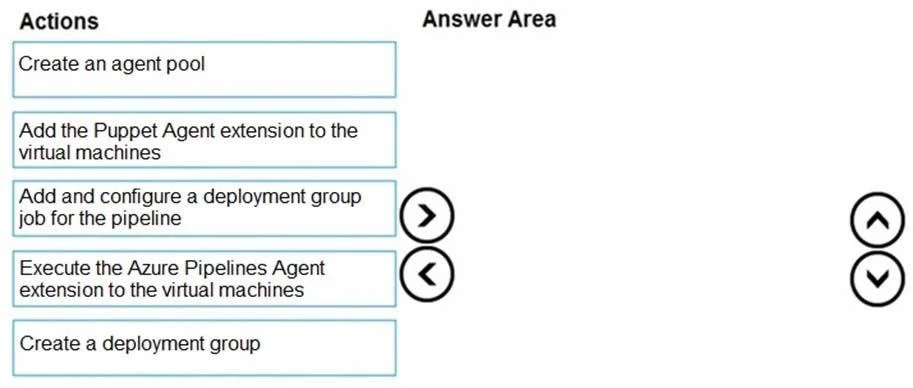
The correct answer is Create a deployment group; Add the Azure Pipelines Agent extension to the virtual machines; Add and configure a deployment group job for the pipeline; Execute the pipeline. To deploy applications to existing VMs using Azure Pipelines, you must first create a deployment group (which registers the target VMs as deployment targets), then install the Azure Pipelines Agent extension on each VM (which connects them to the deployment group), then…
Question
Exhibits
Answer Area
Drag items
Correct arrangement
- Create a deployment group
- Add the Azure Pipelines Agent extension to the virtual machines
- Add and configure a deployment group job for the pipeline
- Execute the pipeline
Explanation
To deploy applications to existing VMs using Azure Pipelines, you must first create a deployment group (which registers the target VMs as deployment targets), then install the Azure Pipelines Agent extension on each VM (which connects them to the deployment group), then configure a deployment group job in the pipeline to define how the deployment runs, and finally execute the pipeline to trigger the actual deployment. This sequence ensures the infrastructure is registered and configured before the pipeline is run.
Topics
Community Discussion
No community discussion yet for this question.