
AZ-400 · Question #235
Drag and Drop Question You manage the Git repository for a large enterprise application. During the development of the application, you use a file named Config.json. You need to prevent Config.json…
The correct answer is Add Config.json to the .gitignore file.; Run the git add .gitignore command.; Run the git commit command. To prevent Config.json from being tracked by Git, you must first add the filename to the .gitignore file, which tells Git to ignore that file going forward. Next, you stage the .gitignore file itself using 'git add .gitignore' so Git tracks the ignore rules, and finally you run…
Question
Exhibits
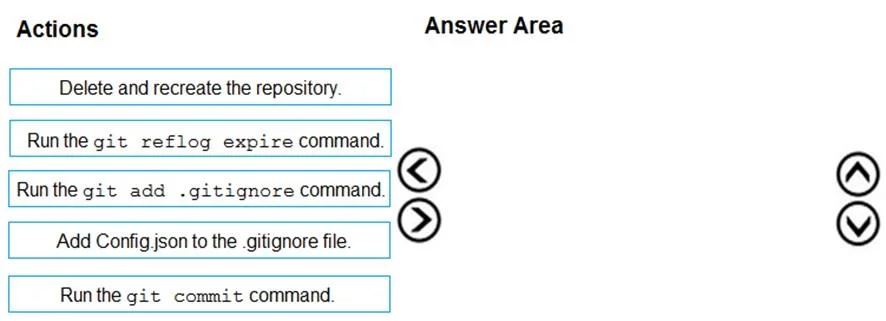
Answer Area
Drag items
Correct arrangement
- Add Config.json to the .gitignore file.
- Run the git add .gitignore command.
- Run the git commit command.
Explanation
To prevent Config.json from being tracked by Git, you must first add the filename to the .gitignore file, which tells Git to ignore that file going forward. Next, you stage the .gitignore file itself using 'git add .gitignore' so Git tracks the ignore rules, and finally you run 'git commit' to save the .gitignore changes to the repository. This three-step sequence is the standard Git workflow for establishing ignore rules without disrupting the existing repository.
Topics
Community Discussion
No community discussion yet for this question.