
AZ-204 · Question #611
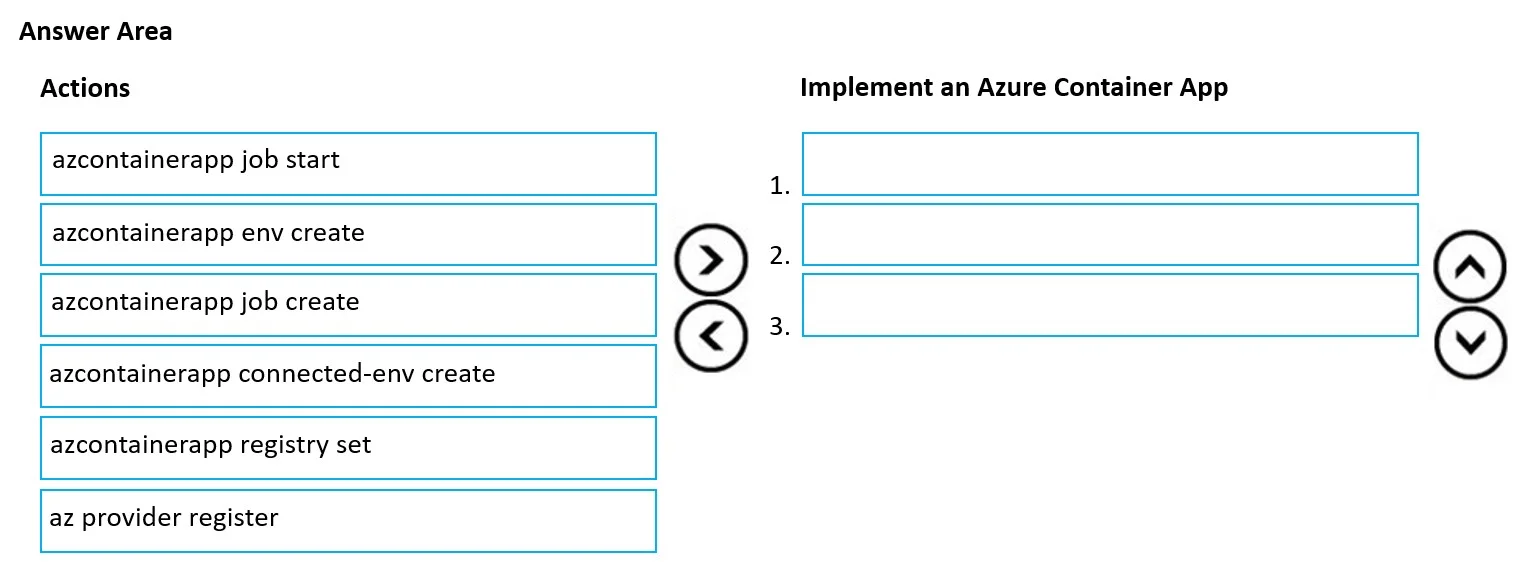
Drag and Drop Question You create an Azure subscription. You then create an Azure resource group. You plan to create a containerized task that will run as an Azure Container App in regular…
The correct answer is azcontainerapp registry set; azcontainerapp env create; azcontainerapp job create. To create a scheduled Azure Container App job, you must first configure the container registry credentials using 'az containerapp registry set' so Azure can pull the container image, then create the Container Apps Environment using 'az containerapp env create' which provides…
Question
Exhibit
Answer Area
Drag items
Correct arrangement
- azcontainerapp registry set
- azcontainerapp env create
- azcontainerapp job create
Explanation
To create a scheduled Azure Container App job, you must first configure the container registry credentials using 'az containerapp registry set' so Azure can pull the container image, then create the Container Apps Environment using 'az containerapp env create' which provides the hosting infrastructure (networking, logging, etc.), and finally create the job itself using 'az containerapp job create' where you define the schedule (cron expression) and job properties. This sequence follows the logical dependency chain: registry access → environment → job.
Topics
Community Discussion
No community discussion yet for this question.