
AZ-204 · Question #595
Drag and Drop Question You have an Azure Virtual Machine (VM) named VM1 running Windows Server 2022 and an Azure Key Vault instance named kv1. You are developing a .NET application named App1 that…
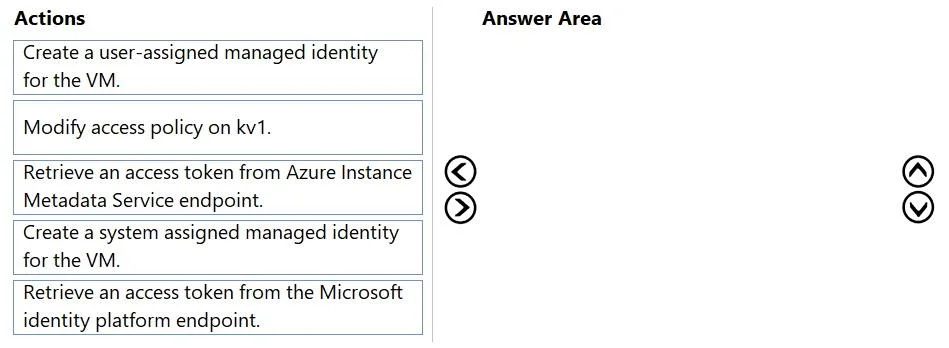
The correct answer is Create a system-assigned managed identity for the VM.; Retrieve an access token from Azure Instance Metadata endpoint.; Modify access policy on kv1. A system-assigned managed identity is the correct choice because it is tied directly to the lifecycle of VM1 - when VM1 is deleted, the identity is automatically deprovisioned, satisfying the key requirement. The access token must be retrieved from the Azure Instance Metadata…
Question
Exhibit
Answer Area
Drag items
Correct arrangement
- Create a system-assigned managed identity for the VM.
- Retrieve an access token from Azure Instance Metadata endpoint.
- Modify access policy on kv1.
Explanation
A system-assigned managed identity is the correct choice because it is tied directly to the lifecycle of VM1 - when VM1 is deleted, the identity is automatically deprovisioned, satisfying the key requirement. The access token must be retrieved from the Azure Instance Metadata Service (IMDS) endpoint (http://169.254.169.254/metadata/identity/oauth2/token), which is the correct mechanism for managed identities running inside an Azure VM. Finally, the Key Vault access policy on kv1 must be modified to grant the system-assigned managed identity the necessary permissions to access secrets, keys, or certificates.
Topics
Community Discussion
No community discussion yet for this question.