
Microsoft
AZ-204 · Question #202
Drag and Drop Question You plan to create a Docker image that runs an ASP.NET Core application named ContosoApp. You have a setup script named setupScript.ps1 and a series of application files…
Sign in or unlock AZ-204 to reveal the answer and full explanation for question #202. The question stem and answer options stay visible for context.
Submitted by obi.ng· Mar 30, 2026Implement containerized solutions - creating and configuring Docker images for .NET applications (AZ-204: Develop solutions that use Azure Container Registry and Azure Container Instances)
Question
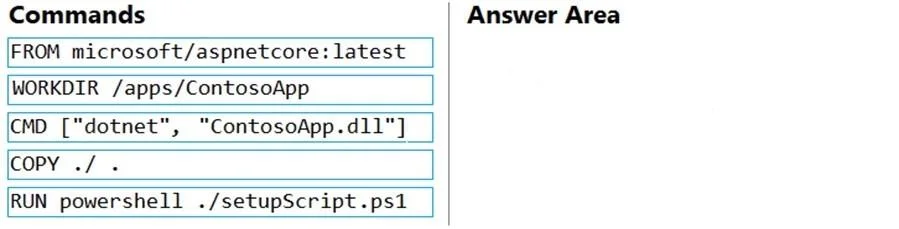
Drag and Drop Question You plan to create a Docker image that runs an ASP.NET Core application named ContosoApp. You have a setup script named setupScript.ps1 and a series of application files including ContosoApp.dll. You need to create a Dockerfile document that meets the following requirements: - Call setupScripts.ps1 when the container is built. - Run ContosoApp.dll when the container starts. The Dockerfile document must be created in the same folder where ContosoApp.dll and setupScript.ps1 are stored. Which five commands should you use to develop the solution? To answer, move the appropriate commands from the list of commands to the answer area and arrange them in the correct order. Answer:
Exhibit
Answer Area
Drag items
FROM microsoft/aspnetcore:latestWORKDIR /apps/ContosoAppCMD ["dotnet", "ContosoApp.dll"]COPY . / .RUN powershell ./setupScript.ps1
Unlock AZ-204 to see the answer
You've previewed enough free AZ-204 questions. Unlock AZ-204 for full answers, explanations, the timed quiz mode, progress tracking, and the master PDF. Question stem and options stay visible so you can still see what's on the exam.
Topics
#Docker#Dockerfile#ASP.NET Core#Containerization