
AZ-204 · Question #133
Drag and Drop Question You are preparing to deploy an Azure virtual machine (VM)-based application. The VMs that run the application have the following requirements: - When a VM is provisioned the…
The correct answer is Run Command; Custom Script Extension. Run Command is the correct feature for automatically configuring the firewall when a VM is provisioned, as it allows executing scripts on a VM at deployment time without requiring network connectivity or agent configuration, making it ideal for pre-access firewall setup. Custom…
Question
Exhibit
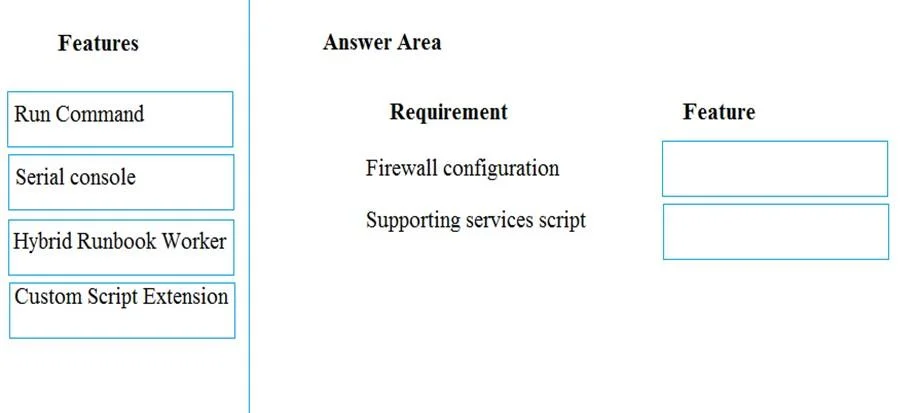
Answer Area
Drag items
Correct arrangement
- Run Command
- Custom Script Extension
Explanation
Run Command is the correct feature for automatically configuring the firewall when a VM is provisioned, as it allows executing scripts on a VM at deployment time without requiring network connectivity or agent configuration, making it ideal for pre-access firewall setup. Custom Script Extension is the correct feature for installing supporting services using a PowerShell script stored in Azure Storage, as it is specifically designed to download and execute scripts (including from Azure Storage) on Azure VMs during or after provisioning to automate post-deployment configuration tasks.
Topics
Community Discussion
No community discussion yet for this question.