
AZ-104 · Question #836
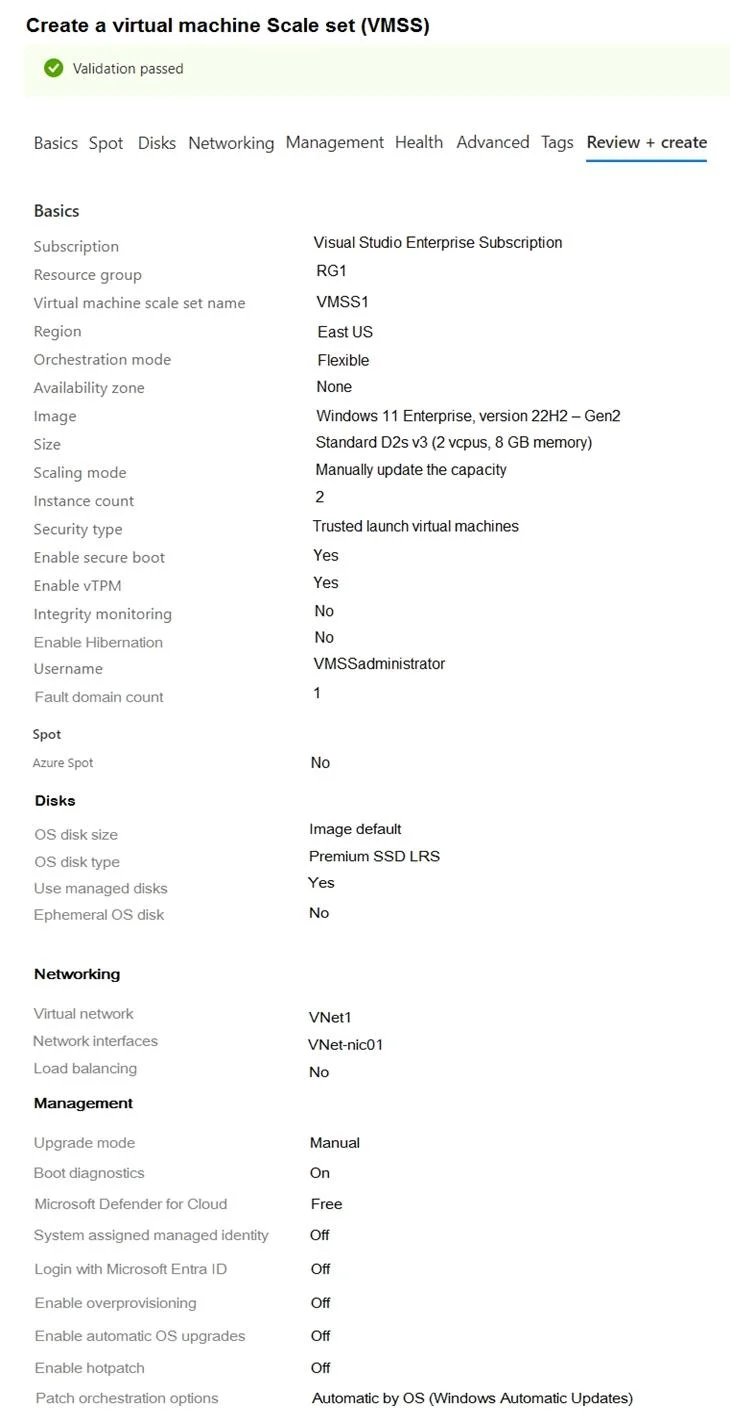
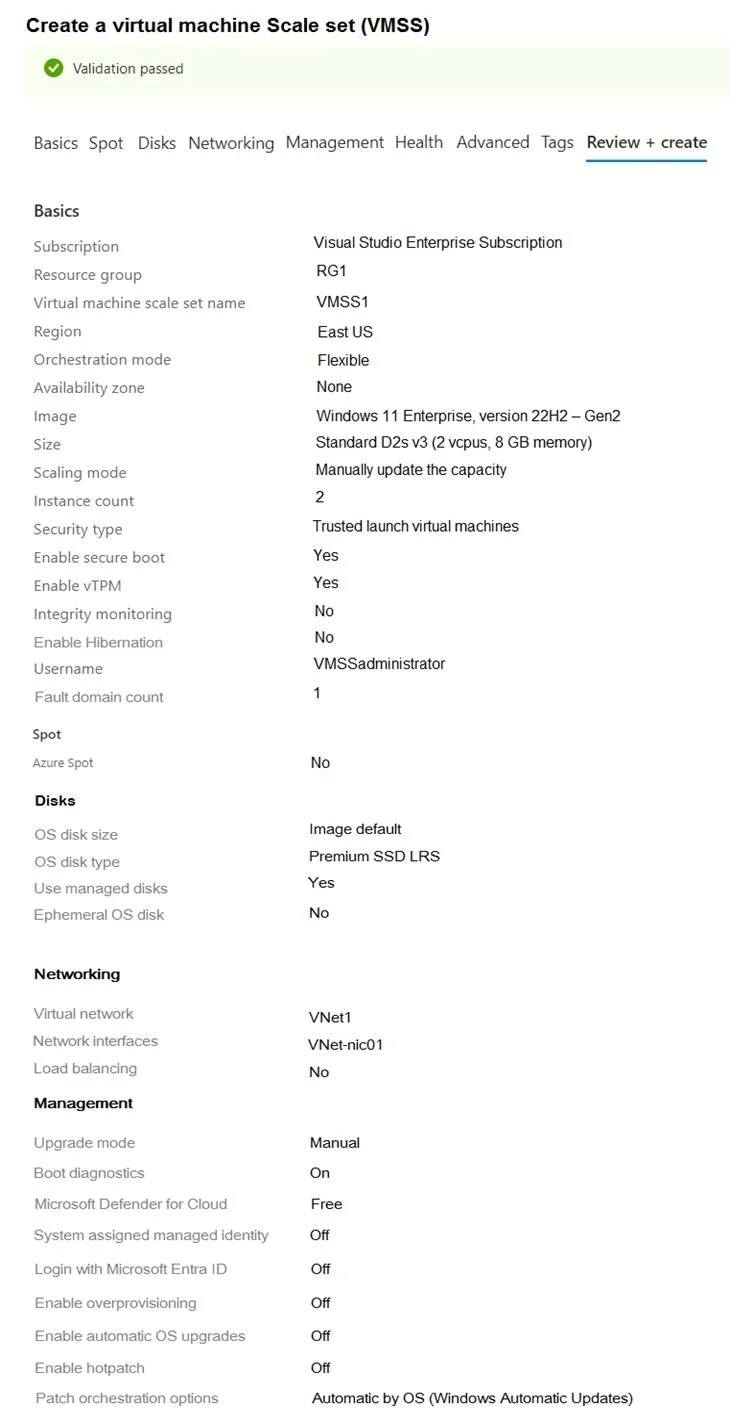
Hotspot Question You have an Azure subscription. You plan to deploy a virtual machine scale set as shown in the exit (Click the Exhibit tab.) You need to ensure hat you can enable the following…
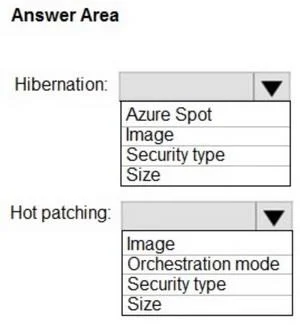
The correct answer is Enable Hibernation: Yes; Enable hotpatch: On. To enable hibernation, the VM size must be changed to one that supports it; to enable hot patching, the OS image must be changed to a compatible Azure Edition Core image.
Question
Exhibits
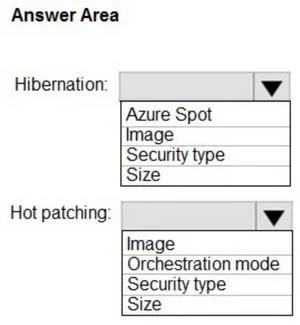
Answer Area
- Enable HibernationYesYesNo
- Enable hotpatchOnOnOff
Explanation
To enable hibernation, the VM size must be changed to one that supports it; to enable hot patching, the OS image must be changed to a compatible Azure Edition Core image.
Approach. The question asks which settings need to be modified to enable Hibernation and Hot patching. We must identify the core prerequisite settings for each feature:
For Hibernation:
- Analyze the current settings: The exhibit shows 'Enable Hibernation: No', 'Security type: Trusted launch virtual machines', and 'Size: Standard D2s v3'.
- Recall Hibernation prerequisites: Azure VM hibernation requires Trusted Launch (which is already set) and specific VM sizes (e.g., Dv4, Ev4 series, or other memory-optimized/general-purpose sizes that explicitly support it). The current 'Standard D2s v3' size may not support hibernation, or a change to a different, compatible size is necessary to enable it.
- Evaluate dropdown options: The available options for Hibernation are 'Azure Spot', 'Image', 'Security type', 'Size'. Since Trusted Launch is already enabled and Image is not a direct enabler for hibernation (the OS itself supports it once size and security are met), 'Size' is the most direct setting to modify to ensure support for hibernation.
- Correct Interaction: Select 'Size' for Hibernation.
For Hot patching:
- Analyze the current settings: The exhibit shows 'Enable hotpatching: Off', 'Orchestration mode: Flexible', 'Image: Windows 11 Enterprise, version 22H2 - Gen2', and 'Security type: Trusted launch virtual machines'.
- Recall Hot patching prerequisites: Hot patching requires:
- Flexible orchestration mode (already set to 'Flexible').
- Specific OS images: Windows Server 2019 Datacenter: Azure Edition Core or Windows Server 2022 Datacenter: Azure Edition Core.
- It is not compatible with Trusted Launch (current setting is 'Trusted launch virtual machines').
- Evaluate dropdown options: The available options for Hot patching are 'Image', 'Orchestration mode', 'Security type', 'Size'. The current 'Windows 11 Enterprise' image is not a compatible image for hot patching. To enable hot patching, the primary modification needed is to select a supported 'Azure Edition Core' image.
- While 'Security type' also needs to be changed (from Trusted Launch to Standard) because Hotpatching is incompatible with Trusted Launch, the 'Image' is the fundamental enabler for the feature. Without a compatible image, hotpatching cannot be enabled, regardless of the security type. Therefore, changing the 'Image' is the most critical modification to 'support' hotpatching.
- Correct Interaction: Select 'Image' for Hot patching.
Common mistakes.
- common_mistake. For Hibernation, selecting 'Security type' would be incorrect because the exhibit already shows 'Trusted launch virtual machines' enabled, which is a prerequisite for hibernation. So, no modification is needed there. For Hot patching, selecting 'Security type' is a common trap because Hotpatching is incompatible with Trusted Launch. While changing the security type is required, the most fundamental modification to support Hotpatching is changing the 'Image' to a compatible Azure Edition Core OS, as the current Windows 11 image simply does not offer the feature. Changing 'Orchestration mode' for Hot patching is also wrong as it is already correctly set to 'Flexible'.
Concept tested. The core concepts tested are the specific prerequisites and compatibility requirements for Azure Virtual Machine Scale Set features, specifically VM Hibernation and Hot patching. This includes understanding required VM sizes, OS images (e.g., Azure Edition Core), security types (e.g., Trusted Launch compatibility), and orchestration modes for these advanced features.
Reference. null
Topics
Community Discussion
No community discussion yet for this question.