
AZ-104 · Question #78
A team needs to deploy a scaleset to Azure. You have to create the required Azure CLI script for the same. You have to write the part of the script to scale the scaleset to a new capacity of 4…
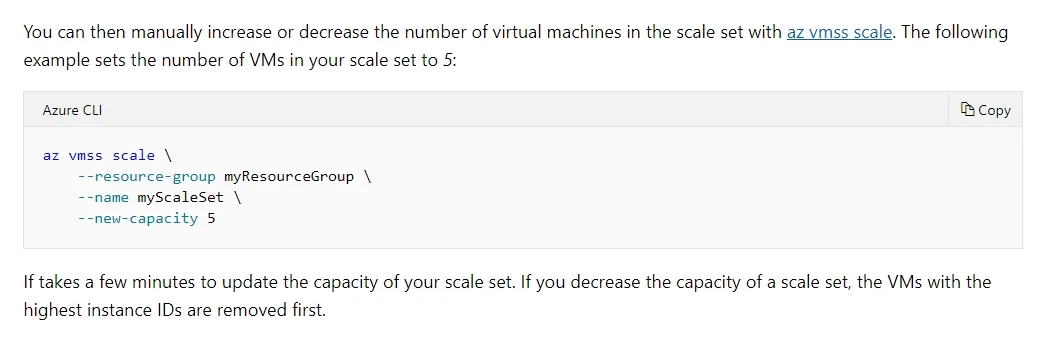
The correct answer is B. az vmss scale --resource-group "whizlabs-rg" --name lead2passset --new-capacity 4. The correct Azure CLI command to scale a Virtual Machine Scale Set (VMSS) uses 'az vmss scale' with the '--new-capacity' parameter to specify the desired number of instances. Option B correctly uses both the proper subcommand ('az vmss scale') and the correct parameter name…
Question
Exhibit
Options
- Aaz vmss scale --resource-group "whizlabs-rg" --name lead2passset --scale-capacity 4
- Baz vmss scale --resource-group "whizlabs-rg" --name lead2passset --new-capacity 4
- Caz vmss new-scale --resource-group "whizlabs-rg" --name lead2passset --new-capacity 4
- Daz vmss new-scale --resource-group "whizlabs-rg" --name lead2passset --scale-capacity 4
How the community answered
(25 responses)- A4% (1)
- B80% (20)
- C4% (1)
- D12% (3)
Explanation
The correct Azure CLI command to scale a Virtual Machine Scale Set (VMSS) uses 'az vmss scale' with the '--new-capacity' parameter to specify the desired number of instances. Option B correctly uses both the proper subcommand ('az vmss scale') and the correct parameter name ('--new-capacity 4'), which is the exact syntax required by the Azure CLI to change the instance count of an existing scale set.
Topics
Community Discussion
No community discussion yet for this question.