
AZ-104 · Question #635
Hotspot Question You have an Azure subscription that is linked to an Azure AD tenant. The tenant contains two users named User1 and User2. The subscription contains the resources shown in the…
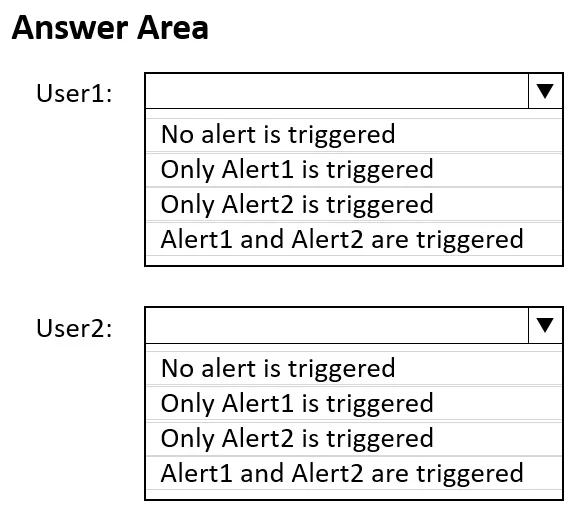
User1 triggers both alerts by performing compute-level modifications, while User2 triggers only the Resource Group-scoped alert because tagging is a metadata operation that does not trigger the specific VM update alert.
Question
Exhibit
Answer Area
- User1:No alert is triggeredOnly Alert1 is triggeredOnly Alert2 is triggeredAlert1 and Alert2 are triggered
- User2:No alert is triggeredOnly Alert1 is triggeredOnly Alert2 is triggeredAlert1 and Alert2 are triggered
Explanation
User1 triggers both alerts by performing compute-level modifications, while User2 triggers only the Resource Group-scoped alert because tagging is a metadata operation that does not trigger the specific VM update alert.
Approach. In this standard Azure scenario, Alert1 is an Activity Log alert scoped to the Resource Group (RG1) for 'All Administrative operations', and Alert2 is scoped specifically to the Virtual Machine (VM1) for compute updates.
- User1 creates a disk and attaches it to VM1. This involves creating a resource in RG1 (triggering Alert1) and performing a structural compute update to VM1 (triggering Alert2). Thus, both alerts fire.
- User2 assigns a tag to RG1 and VM1. Tagging RG1 is an administrative operation on the resource group, triggering Alert1. However, tagging VM1 is a metadata operation handled by the generic tags provider (Microsoft.Resources/tags/write), not a direct modification of the VM's core compute configuration (Microsoft.Compute/virtualMachines/write). Therefore, it bypasses the VM-specific Alert2, leaving only Alert1 triggered.
Common mistakes.
- common_mistake. A frequent error is selecting 'Alert1 and Alert2 are triggered' for User2. Test-takers often assume that because VM1 was interacted with, the VM1-scoped alert will automatically fire. However, Azure distinguishes between core resource updates (like attaching a disk) and metadata updates (like tagging), which fall under different resource providers and alert conditions.
Concept tested. Azure Monitor Activity Log Alerts, Alert Scopes (Resource Group vs. specific resource), and Resource Provider operations (Compute vs. Tags).
Reference. https://learn.microsoft.com/en-us/azure/azure-monitor/alerts/alerts-activity-log
Topics
Community Discussion
No community discussion yet for this question.