
AZ-104 · Question #564
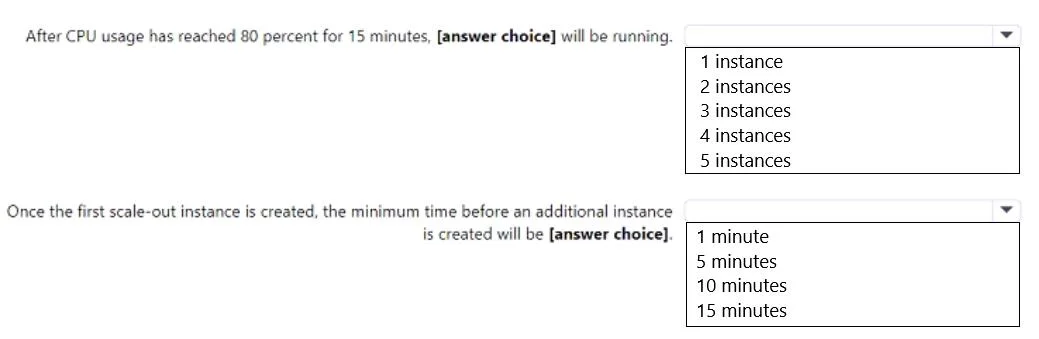
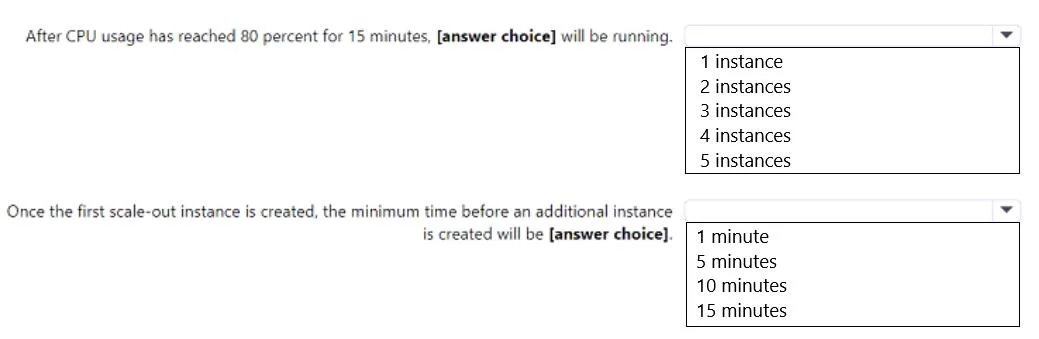
Hotspot Question You have an Azure App Service web app named app1. You configure autoscaling as shown in following exhibit. You configure the autoscale rule criteria as shown in the following…
The correct answer is Scale mode: Scale based on a metric. The correct selections are '2 instances' because the autoscale rule increases instance count by one from the default, and '5 minutes' based on the configured cool-down period for scale-out actions.
Question
Exhibits
Answer Area
- Scale modeScale based on a metricScale based on a metricScale to a specific instance count
Explanation
The correct selections are '2 instances' because the autoscale rule increases instance count by one from the default, and '5 minutes' based on the configured cool-down period for scale-out actions.
Approach. For the first question, 'After CPU usage has reached 80 percent for 15 minutes, [answer choice] will be running.':
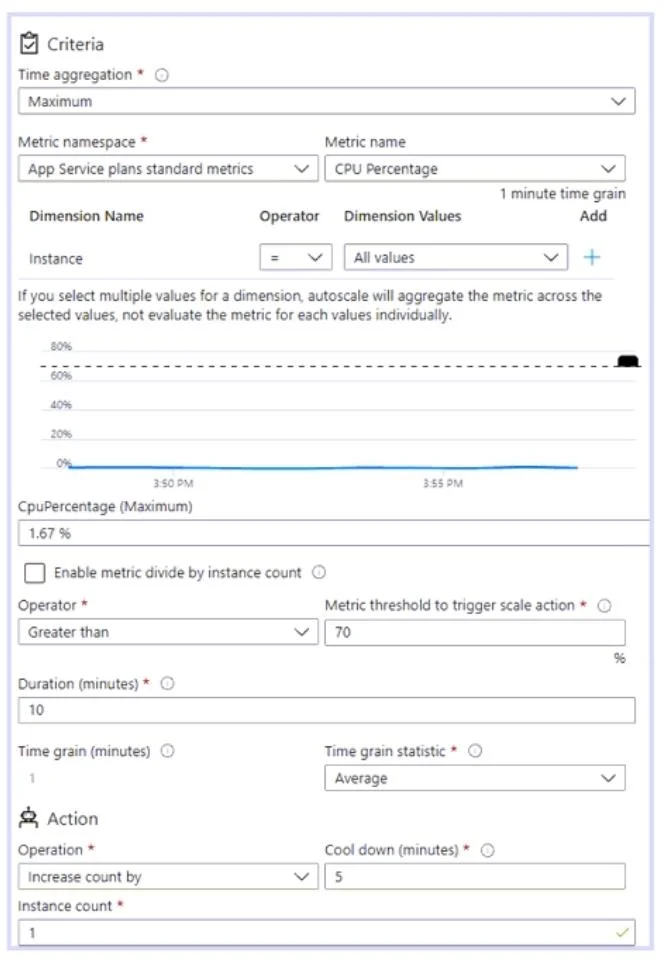
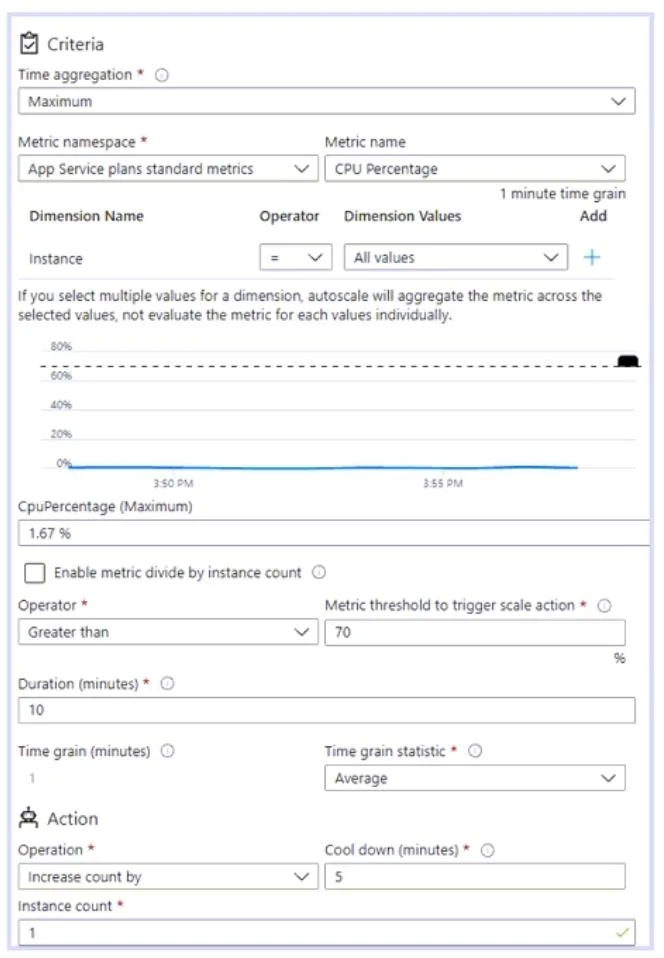
- Analyze the Trigger Condition: Image 2 shows the scale-out rule triggers when 'CPU Percentage' is 'Greater than 70%' for a 'Duration (minutes)' of '10'.
- Evaluate the Scenario: The question states CPU usage reached '80 percent' for '15 minutes'. Since 80% is greater than 70%, and 15 minutes is greater than the 10-minute duration, the scale-out condition is met.
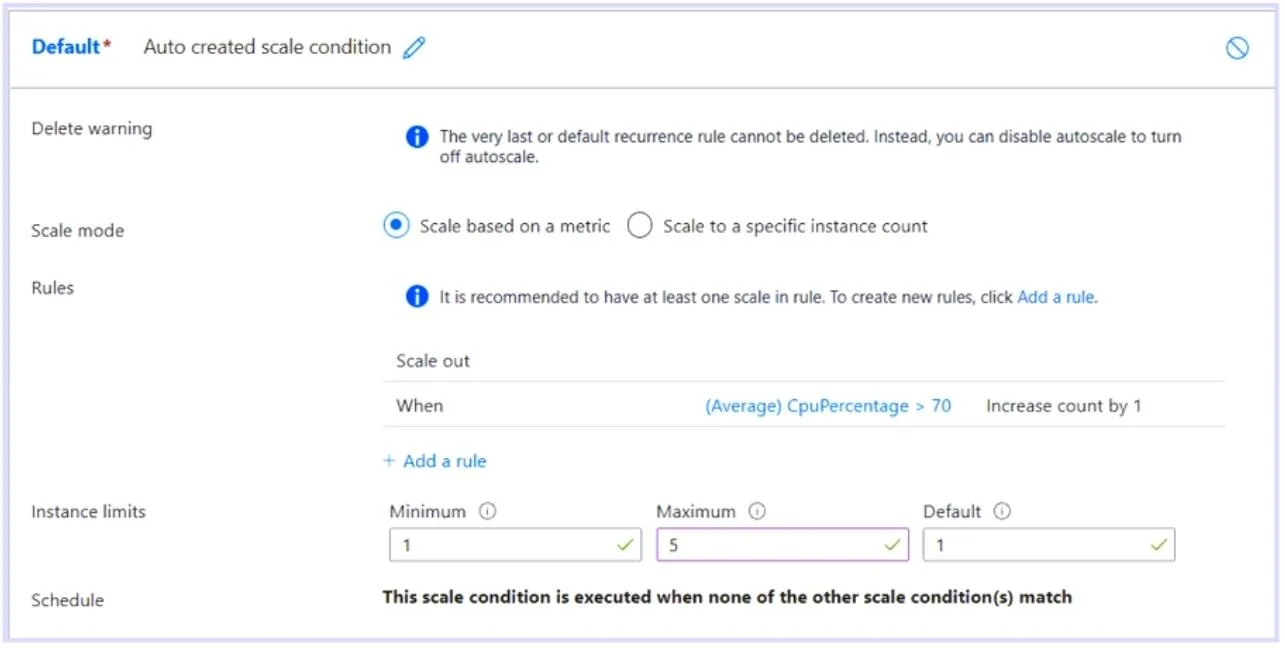
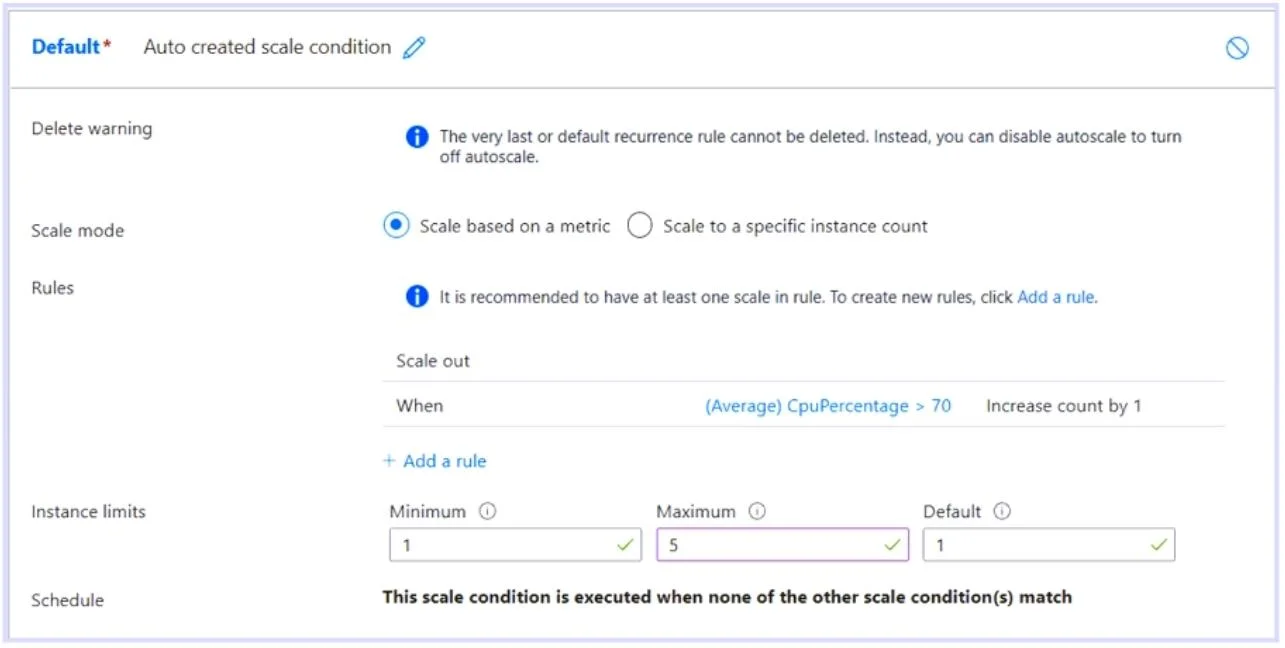
- Determine Initial Instances: Image 1 shows the 'Default' instance count is '1'.
- Determine Scale Action: Image 2 specifies the 'Action Operation' is 'Increase count by' '1' instance.
- Calculate Final Instances: Starting with 1 instance, and increasing by 1, results in 2 instances (1 + 1 = 2). This is within the 'Maximum' instance limit of 5 (from Image 1).
Therefore, the correct choice is '2 instances'.
For the second question, 'Once the first scale-out instance is created, the minimum time before an additional instance is created will be [answer choice]':
- Identify Relevant Setting: The question asks for the minimum time before an additional instance is created after a scale-out, which refers to the 'Cool down' period.
- Locate Cool-down Value: In Image 2, under the 'Action' section, 'Cool down (minutes)' is explicitly set to '5'.
Therefore, the correct choice is '5 minutes'.
Common mistakes.
- common_mistake. For the first question ('After CPU usage has reached 80 percent for 15 minutes, [answer choice] will be running.'):
- '1 instance' is incorrect: This would imply the autoscale rule did not trigger or had no effect, which contradicts the met conditions and the configured 'Increase count by 1' action.
- '3 instances', '4 instances', or '5 instances' are incorrect: While the maximum is 5, a single scale-out operation from 1 instance (default) only adds 1, bringing the total to 2. The question implies the state after this initial trigger. Without further information about sustained high CPU after the first scale-out and subsequent cool-down periods, we only account for the immediate result of the met condition.
For the second question ('Once the first scale-out instance is created, the minimum time before an additional instance is created will be [answer choice]'):
- '10 minutes' is incorrect: This value represents the 'Duration (minutes)' that the CPU threshold (70%) must be exceeded before a scale-out action is initiated. It is not the cool-down period between scale-out actions.
- '1 minute' or '15 minutes' are incorrect: These values do not correspond to any configured cool-down setting shown in the exhibits. The cool-down is explicitly set to 5 minutes.
Concept tested. This question tests the understanding of Azure App Service autoscale configuration, specifically:
- How metric-based scale-out rules are evaluated (metric threshold, duration).
- The immediate effect of a scale-out action (instance count increase).
- The role of instance limits (minimum, maximum, default).
- The function and configuration of the 'cool-down' period in preventing rapid, repeated scaling.
Topics
Community Discussion
No community discussion yet for this question.