
AZ-104 · Question #533
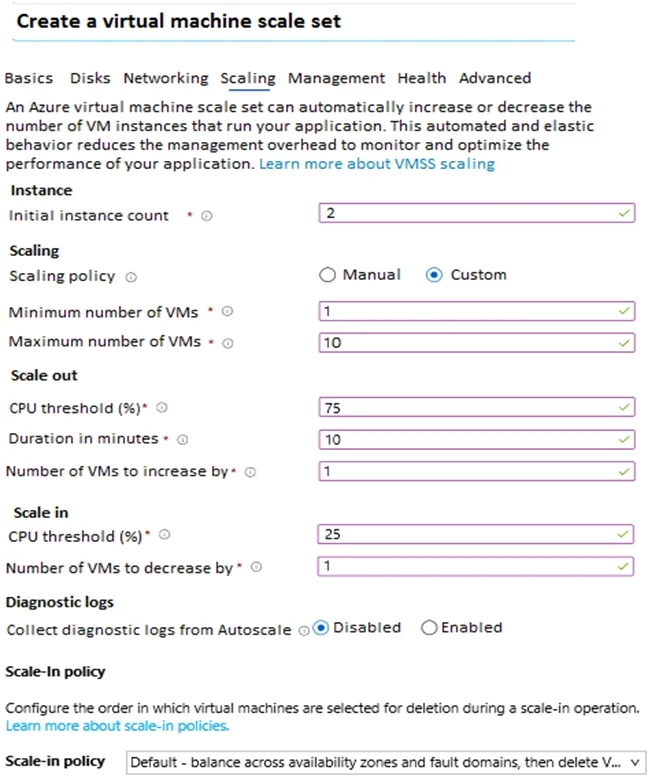
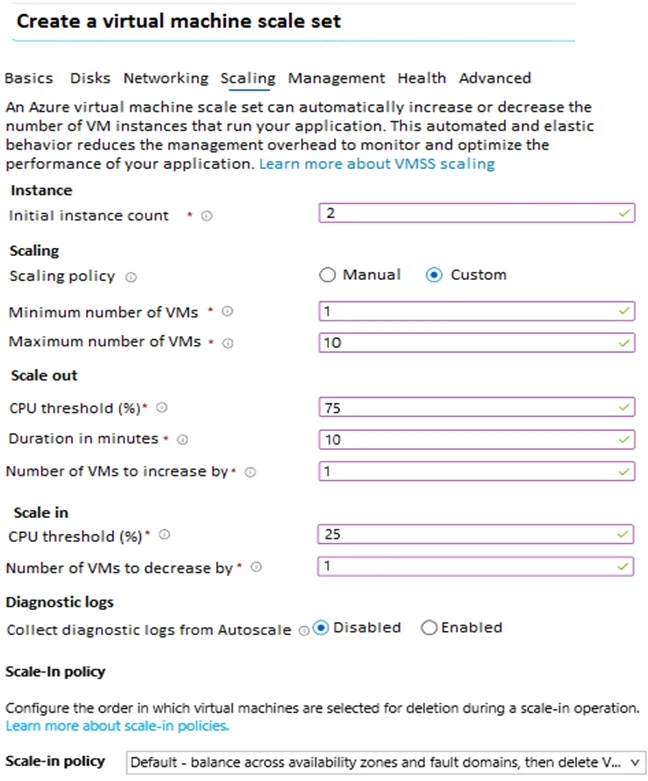
Hotspot Question You have an Azure subscription. You deploy a virtual machine scale set that is configure as shown in the following exhibit. Use the drop-down menus to select the answer choice that…
The correct answer is Scaling policy: Custom; Collect diagnostic logs from Autoscale: Disabled. Determine the number of running Azure VM instances by applying autoscale rules, metrics duration, cooldown periods, and configured instance limits.
Question
Exhibits
Answer Area
- Scaling policyCustomManualCustom
- Collect diagnostic logs from AutoscaleDisabledDisabledEnabled
Explanation
Determine the number of running Azure VM instances by applying autoscale rules, metrics duration, cooldown periods, and configured instance limits.
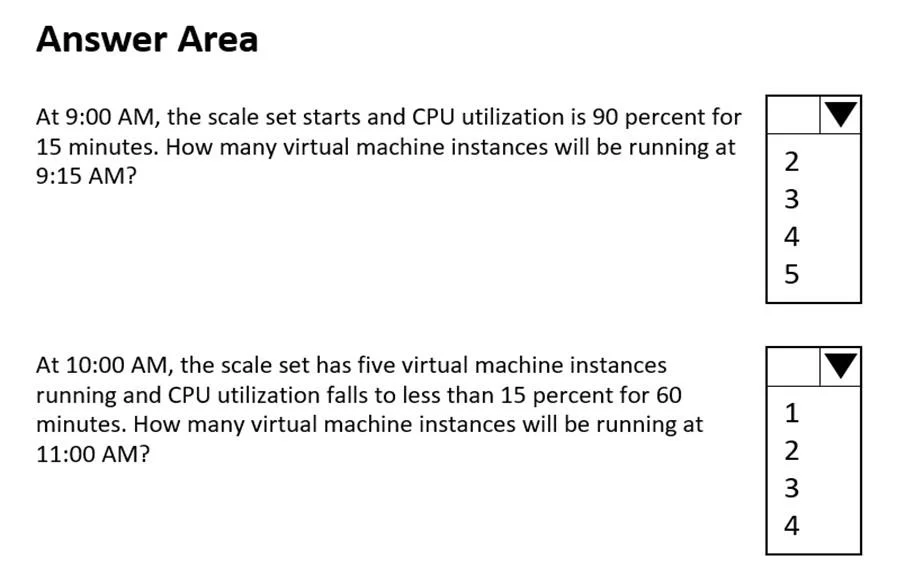
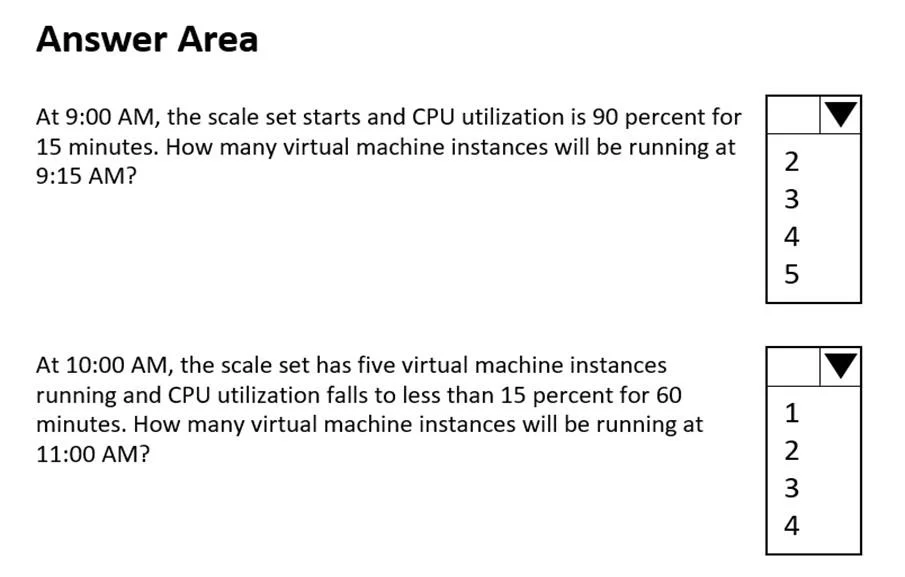
Approach. For the first question: The scale set starts at 9:00 AM with the initial configured count of 2 VMs. The CPU is at 90%, which exceeds the 75% scale-out threshold. Autoscale evaluates this over the specified 10-minute duration. At 9:10 AM, the condition is met, and the scale-out rule triggers, adding 1 VM for a total of 3. Standard Azure autoscale enforces a default cooldown period of 5 minutes after a scale event. Therefore, no further scale actions can complete by 9:15 AM, leaving exactly 3 instances running.
For the second question: Starting at 10:00 AM with 5 VMs, the CPU stays below 15% (which meets the <25% scale-in threshold) for 60 minutes. The scale-in rule triggers, reducing the instance count by 1. Over the 60-minute window, the rule will undergo multiple evaluation and cooldown cycles, repeatedly scaling in by 1. The process will eventually stop when it hits the configured 'Minimum number of VMs' limit, which is set to 1. Thus, at 11:00 AM, 1 instance will be running.
Common mistakes.
- common_mistake. For the first scenario, choosing 4 or 5 ignores the 10-minute rule duration and the mandatory 5-minute cooldown period that prevents multiple scale-out events from firing rapidly within a short 15-minute window. For the second scenario, answering 2, 3, or 4 fails to account for the fact that a 60-minute window provides ample time for the scale-in rule to trigger repeatedly until the hard minimum limit of 1 is reached.
Concept tested. Azure Virtual Machine Scale Sets (VMSS) custom autoscale rules, including rule duration, default cooldown periods, and absolute minimum/maximum instance limits.
Reference. https://learn.microsoft.com/en-us/azure/azure-monitor/autoscale/autoscale-understanding-settings
Topics
Community Discussion
No community discussion yet for this question.