
AZ-104 · Question #46
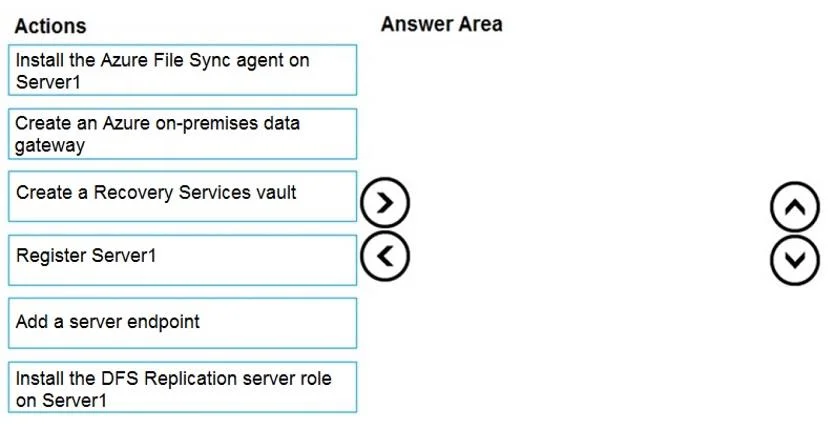
Drag and Drop Question You have an on-premises file server named Server1 that runs Windows Server 2016. You have an Azure subscription that contains an Azure file share. You deploy an Azure File…
The correct answer is Install the Azure File Sync agent on Server1; Register Server1; Add a server endpoint. To synchronize files from Server1 to Azure using Azure File Sync, you must first install the Azure File Sync agent on Server1 to enable the sync capability, then register Server1 with the Storage Sync Service to establish a trust relationship between the server and Azure, and…
Question
Exhibit
Answer Area
Drag items
Correct arrangement
- Install the Azure File Sync agent on Server1
- Register Server1
- Add a server endpoint
Explanation
To synchronize files from Server1 to Azure using Azure File Sync, you must first install the Azure File Sync agent on Server1 to enable the sync capability, then register Server1 with the Storage Sync Service to establish a trust relationship between the server and Azure, and finally add a server endpoint within the sync group to define which local folder on Server1 will participate in synchronization. These three steps in sequence represent the complete workflow after the Storage Sync Service and sync group have already been created.
Topics
Community Discussion
No community discussion yet for this question.