
AZ-104 · Question #339
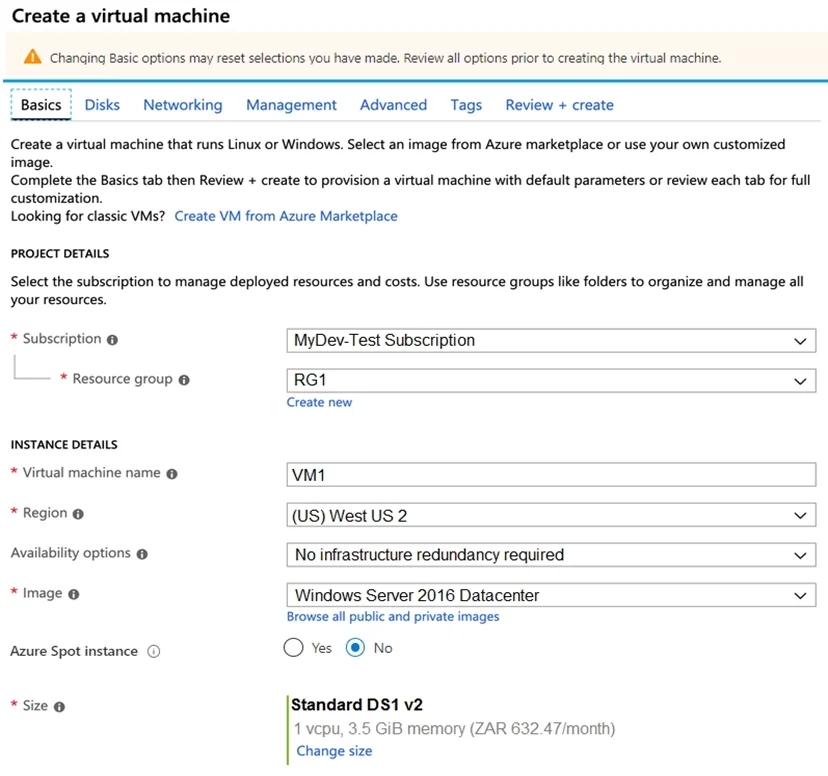
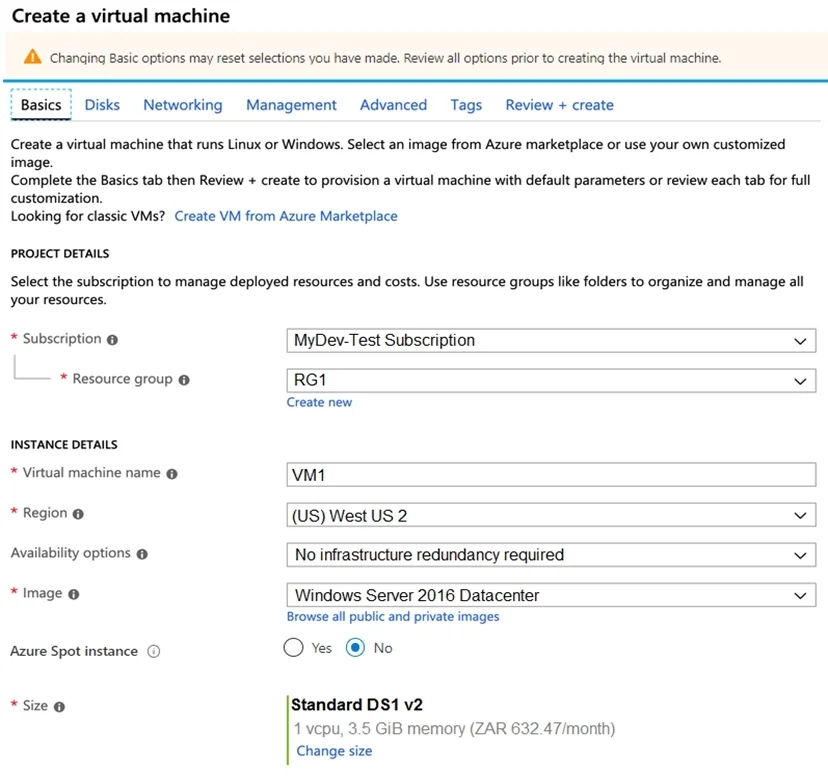
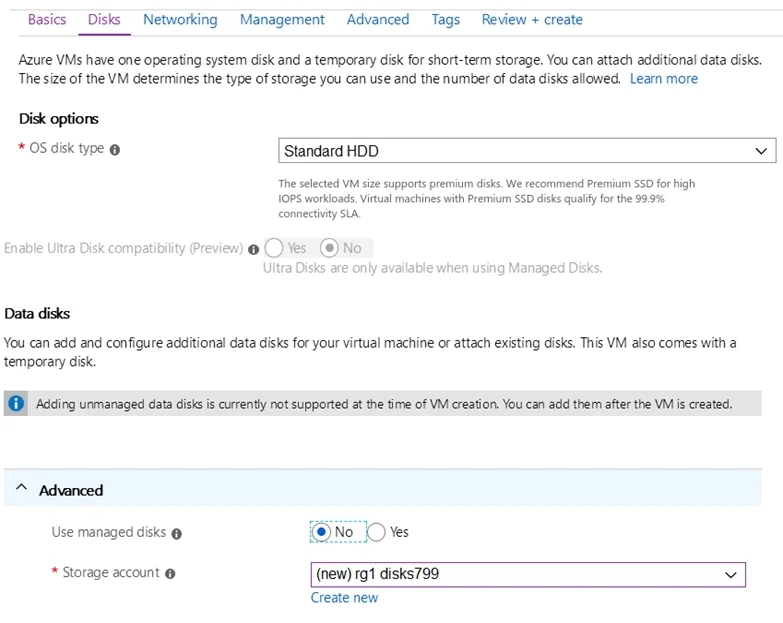
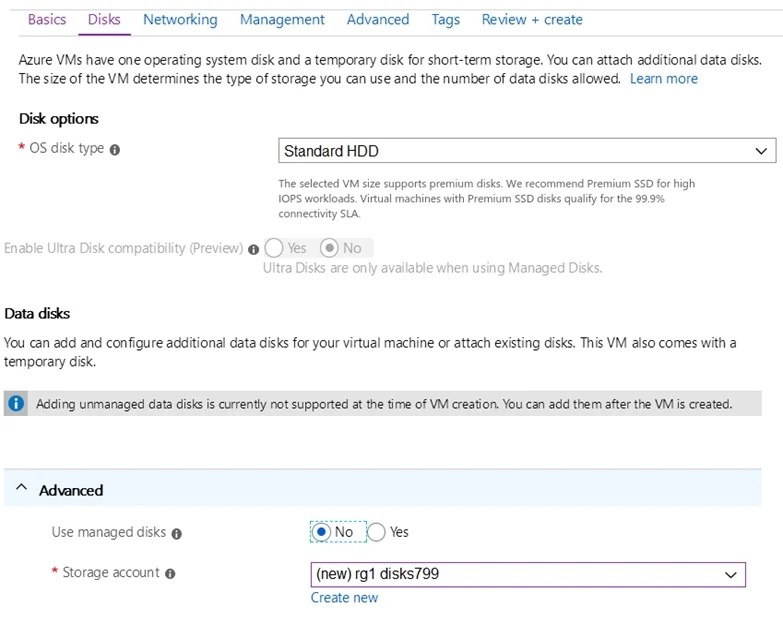
You plan to create an Azure virtual machine named VM1 that will be configured as shown in the following exhibit. The planned disk configurations for VM1 are shown in the following exhibit. You need…
The correct answer is A. Use managed disks C. Availability options. Your VMs should use managed disks if you want to move them to an Availability Zone by using When you create a VM for an Availability Zone, Under Settings > High availability, select one of the numbered zones from the Availability zone dropdown…
Question
Exhibits
Options
- AUse managed disks
- BOS disk type
- CAvailability options
- DSize
- EImage
How the community answered
(18 responses)- A78% (14)
- B6% (1)
- D6% (1)
- E11% (2)
Explanation
Your VMs should use managed disks if you want to move them to an Availability Zone by using When you create a VM for an Availability Zone, Under Settings > High availability, select one of the numbered zones from the Availability zone dropdown. https://docs.microsoft.com/en-us/azure/site-recovery/move-azure-vms-avset-azone https://docs.microsoft.com/en-us/azure/virtual-machines/windows/create-portal-availability-zone
Community Discussion
No community discussion yet for this question.