
AZ-104 · Question #142
SIMULATION Overview The following section of the exam is a lab. In this section, you will perform a set of tasks in a live environment. While most functionality will be available to you as it would…
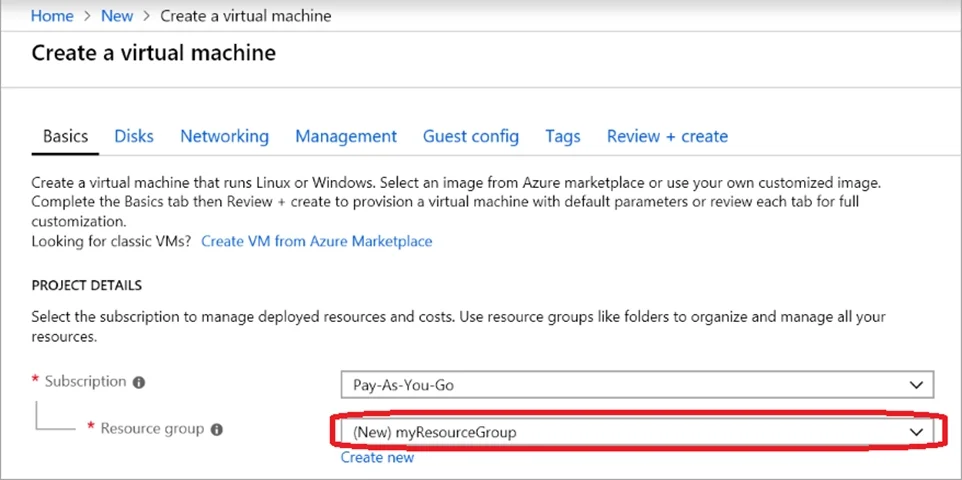
The correct answer is A. See below explanation. Step 1. Choose Create a resource in the upper left-hand corner of the Azure portal. Step 2. In the Basics tab, under Project details, make sure the correct subscription is selected and then choose Web-RGlod8095859 resource group Step 3. Under Instance details type/select…
Question
Exhibit
Options
- ASee below explanation
How the community answered
(53 responses)- A100% (53)
Explanation
Step 1. Choose Create a resource in the upper left-hand corner of the Azure portal. Step 2. In the Basics tab, under Project details, make sure the correct subscription is selected and then choose Web-RGlod8095859 resource group Step 3. Under Instance details type/select: Virtual machine name: Web01 Image: Windows Server 2016 Size: Standard_B2ms size Leave the other defaults. Step 4. Finish the Wizard Note: You will have option to create Availability Set and VNET when you create a new VM through Azure Portal Wizard.
Community Discussion
No community discussion yet for this question.