
AZ-104 · Question #132
Hotspot Question You have an Azure Migrate project that has the following assessment properties: Target location: East US Storage redundancy: Locally redundant. Comfort factor: 2.0 Performance…
Azure Migrate calculates the recommended CPU cores by determining the effectively utilized cores and multiplying them by the configured comfort factor.
Question
Exhibit
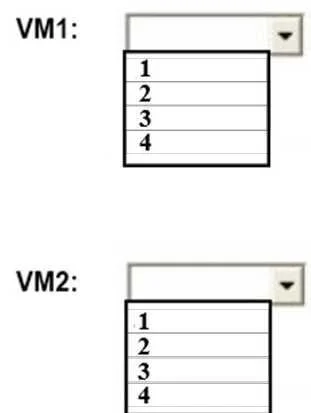
Answer Area
- VM1:1234
- VM2:1234
Explanation
Azure Migrate calculates the recommended CPU cores by determining the effectively utilized cores and multiplying them by the configured comfort factor.
Approach. Azure Migrate uses performance-based sizing. The formula is: Recommended Cores = (Total Cores * Utilization Percentage) * Comfort Factor.
For VM1: It has 10 cores at 20% utilization. The effectively utilized cores are 10 * 0.20 = 2 cores. Applying the comfort factor of 2.0, the recommendation is 2 * 2.0 = 4 cores.
For VM2: It has 4 cores at 50% utilization. The effectively utilized cores are 4 * 0.50 = 2 cores. Applying the comfort factor of 2.0, the recommendation is 2 * 2.0 = 4 cores.
Common mistakes.
- common_mistake. A common mistake is selecting '2', which represents the effectively utilized cores but fails to apply the required comfort factor of 2.0. Another mistake is assuming Azure Migrate will just recommend the original core count without factoring in actual performance utilization.
Concept tested. Azure Migrate Assessment Sizing Logic (Performance-based sizing and Comfort Factor calculation)
Topics
Community Discussion
No community discussion yet for this question.