
AI-102 · Question #46
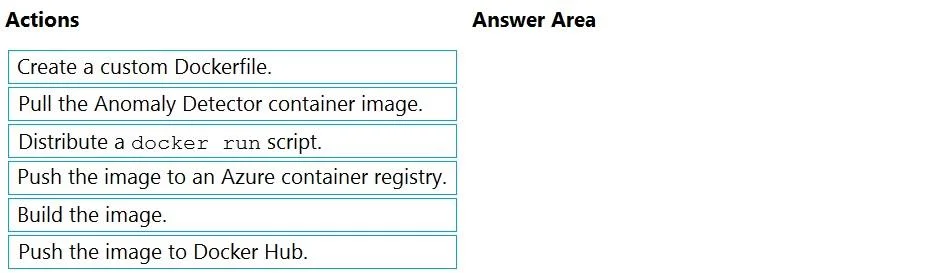
Drag and Drop Question You plan to use containerized versions of the Azure AI Anomaly Detector API on local devices for testing and in on-premises datacenters. You need to ensure that the…
The correct answer is Pull the Anomaly Detector container image.; Create a custom Dockerfile.; Build the image.; Push the image to an Azure container registry. The correct sequence addresses both requirements systematically: first pull the official Microsoft Anomaly Detector container image, then create a custom Dockerfile to embed the billing/API credentials directly into the image (preventing them from appearing in command-line…
Question
Exhibit
Answer Area
Drag items
Correct arrangement
- Pull the Anomaly Detector container image.
- Create a custom Dockerfile.
- Build the image.
- Push the image to an Azure container registry.
Explanation
The correct sequence addresses both requirements systematically: first pull the official Microsoft Anomaly Detector container image, then create a custom Dockerfile to embed the billing/API credentials directly into the image (preventing them from appearing in command-line histories), build the custom image from that Dockerfile, and finally push it to an Azure Container Registry (ACR) which natively supports Azure RBAC for access control. This approach ensures sensitive billing keys are baked into the image rather than passed as runtime command-line arguments, and ACR's integration with Azure AD/RBAC satisfies the access control requirement.
Topics
Community Discussion
No community discussion yet for this question.