
AI-102 · Question #300
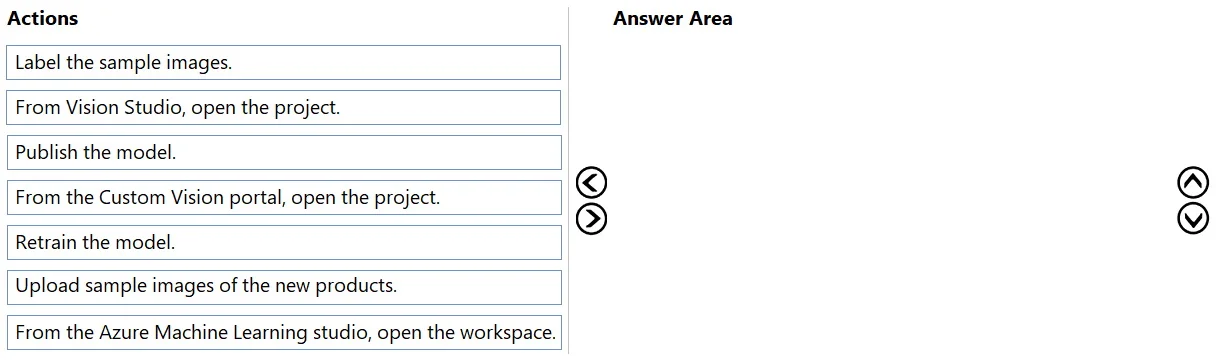
Drag and Drop Question You have an app that uses Azure AI and a custom trained classifier to identify products in images. You need to add new products to the classifier. The solution must meet the…
To add new products to a Custom Vision classifier with minimal time and development effort, you should use the Custom Vision portal (not Vision Studio or Azure ML Studio) since the project already exists there. The correct sequence is: (1) Open the project in the Custom Vision…
Question
Exhibit
Options
- Action1Label the sample images.
- Action2From Vision Studio, open the project.
- Action3Publish the model.
- Action4From the Custom Vision portal, open the project.
- Action5Retrain the model.
- Action6Upload sample images of the new products.
- Action7From the Azure Machine Learning studio, open the workspace.
Explanation
To add new products to a Custom Vision classifier with minimal time and development effort, you should use the Custom Vision portal (not Vision Studio or Azure ML Studio) since the project already exists there. The correct sequence is: (1) Open the project in the Custom Vision portal, (2) Upload sample images of the new products, (3) Label the sample images, (4) Retrain the model, (5) Publish the model. This workflow leverages the existing Custom Vision project infrastructure, requires no new code, and follows the standard iterative training process for adding new classes to a classifier.
Topics
Community Discussion
No community discussion yet for this question.