
AI-102 · Question #106
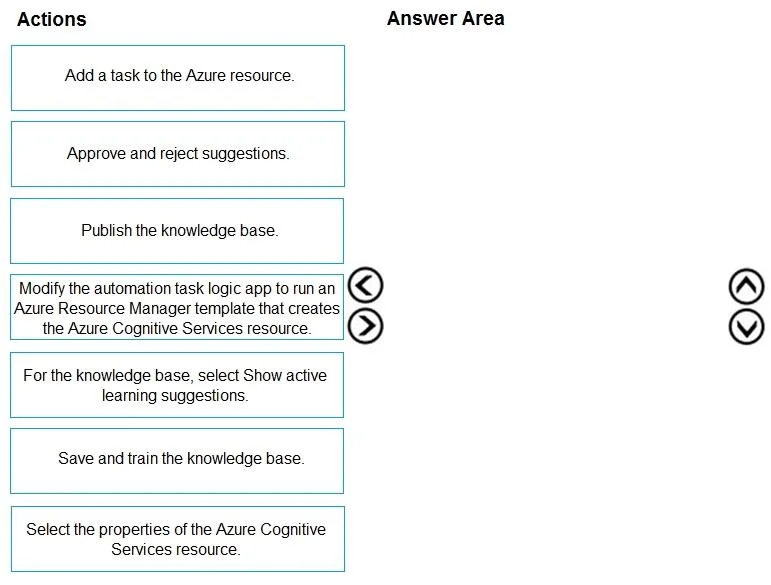
Drag and Drop Question You have a chatbot that uses a QnA Maker application. You enable active learning for the knowledge base used by the QnA Maker application. You need to integrate user input…
The correct answer is For the knowledge base, select Show active learning suggestions.; Approve and reject suggestions.; Save and train the knowledge base.; Publish the knowledge base. The correct sequence for integrating active learning suggestions into a QnA Maker knowledge base follows a logical review-and-retrain workflow: (1) 'For the knowledge base, select Show active learning suggestions' to view what the system has collected from user queries, (2)…
Question
Exhibit
Answer Area
Drag items
Correct arrangement
- For the knowledge base, select Show active learning suggestions.
- Approve and reject suggestions.
- Save and train the knowledge base.
- Publish the knowledge base.
Explanation
The correct sequence for integrating active learning suggestions into a QnA Maker knowledge base follows a logical review-and-retrain workflow: (1) 'For the knowledge base, select Show active learning suggestions' to view what the system has collected from user queries, (2) 'Approve and reject suggestions' to curate which alternate questions are valid, (3) 'Save and train the knowledge base' to incorporate the approved suggestions into the model, and (4) 'Publish the knowledge base' to deploy the updated model so the chatbot uses the improved version. This sequence ensures that user feedback is reviewed, validated, trained, and then deployed in the correct order.
Topics
Community Discussion
No community discussion yet for this question.