
98-365 · Question #428
What are the two different ways of creating Group Policy Object (GPO) with the help of Group Policy Management Console (GPMC)? Each correct answer represents a complete solution. Choose two.
The correct answer is B. Open the Group Policy Management Console (GPMC) and navigate to the container D. Open the Group Policy Management Console (GPMC) and navigate to the Group Policy. A new Group Policy Object can be created in the following two ways: 1.Open the Group Policy Management Console (GPMC) and navigate to the container where you want to apply the GPO. Right-click the container, and click Create A GPO In This Domain And 2.Open the Group Policy…
Question
What are the two different ways of creating Group Policy Object (GPO) with the help of Group Policy Management Console (GPMC)? Each correct answer represents a complete solution. Choose two.
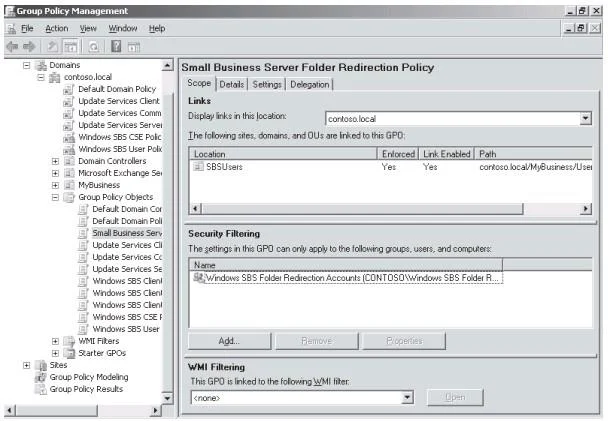
Exhibit
Options
- AOpen the Group Policy Management Console (GPMC) and navigate to the Group Policy
- BOpen the Group Policy Management Console (GPMC) and navigate to the container
- COpen the Group Policy Management Console (GPMC) and navigate to the Domain
- DOpen the Group Policy Management Console (GPMC) and navigate to the Group Policy
How the community answered
(26 responses)- A4% (1)
- B92% (24)
- C4% (1)
Explanation
A new Group Policy Object can be created in the following two ways: 1.Open the Group Policy Management Console (GPMC) and navigate to the container where you want to apply the GPO. Right-click the container, and click Create A GPO In This Domain And 2.Open the Group Policy Management Console (GPMC) and navigate to the Group Policy Objects node. Right-click the Group Policy Objects node, and click New. Enter a descriptive name for the new GPO, and click OK. The following figure displays Group Policy Management:
Topics
Community Discussion
No community discussion yet for this question.