
98-365 · Question #414
John works as a Consumer Support Technician for Web Tech Inc. The company provides troubleshooting support to users. A user named Peter is working with Windows Vista. He reports that when he…
The correct answer is D. Processes tab. In order to accomplish the task, John will use the Processes tab of Task Manager. The Processes tab shows a list of all the tasks that are running on the system. It provides the Image Name, User Name, CPU time, Memory, and Description of the processes. The given image displays…
Question
John works as a Consumer Support Technician for Web Tech Inc. The company provides troubleshooting support to users. A user named Peter is working with Windows Vista. He reports that when he installs a new application on his computer, Windows Task Manager displays that the CPU use is constantly at 100 percent. However, when he checks the desktop and Task Manager, he finds that no program is currently open. Which of the following tabs will John use to identify the program which uses most of the CPU time?
Exhibit
Options
- APerformance tab
- BNetworking tab
- CApplications tab
- DProcesses tab
How the community answered
(42 responses)- A2% (1)
- B2% (1)
- C5% (2)
- D90% (38)
Explanation
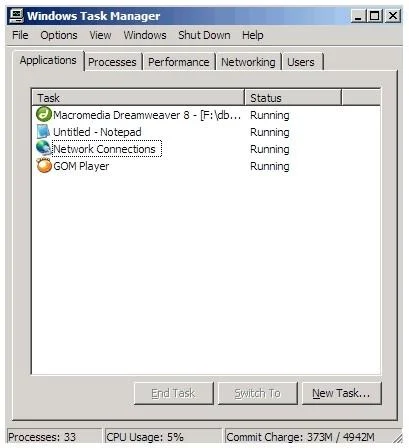
In order to accomplish the task, John will use the Processes tab of Task Manager. The Processes tab shows a list of all the tasks that are running on the system. It provides the Image Name, User Name, CPU time, Memory, and Description of the processes. The given image displays the details related to processes: Answer: C is incorrect. The Applications tab of Task Manager shows the programs that are currently running on the system. It does not provide the CPU time. The following image displays information that is provided by the Application tab: Answer: B is incorrect. The Networking tab of Task Manager displays a graphical representation of network performance. This tab is displayed only if the network card is available in the system. The Networking tab is used to view the quality and availability of the network connection. The following image displays the output of the Networking tab: Answer: A is incorrect. The Performance tab of Task Manager displays only overall statistics such as CPU usage, PF usage, etc. It does not provide information about any individual process. The following image displays the output of the Performance tab:
Topics
Community Discussion
No community discussion yet for this question.