
98-349 · Question #230
The company uses Active Domain Services domain for performing various functions. All servers of the company run in Windows Server 2008 R2 environment. All clients run Windows 7 operating system…
The correct answer is A. Utilize Microsoft Application Virtualizations (App-V) for desktops. To deploy the applications for offline purposes, utilize Microsoft Application Virtualizations (App- V) for the desktops. On a particular client computer, configure the registry parameters AutoLoadTriggers, AutoLoadTarget, and RequiredAuthorizationIfCached. Thereafter, launch…
Question
Exhibit
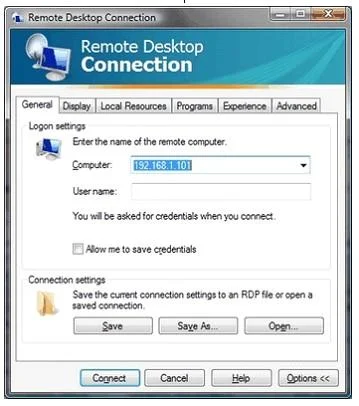
Options
- AUtilize Microsoft Application Virtualizations (App-V) for desktops.
- BUtilize Microsoft Desktop Virtualization (MED-V) for the desktops. On a particular client computer,
- CConfigure MED-V only.
- DConfigure the Remote Desktop Connection.
How the community answered
(26 responses)- A69% (18)
- B12% (3)
- C4% (1)
- D15% (4)
Explanation
To deploy the applications for offline purposes, utilize Microsoft Application Virtualizations (App- V) for the desktops. On a particular client computer, configure the registry parameters AutoLoadTriggers, AutoLoadTarget, and RequiredAuthorizationIfCached. Thereafter, launch any one of the three applications (App-V, MED-V, and Remote Desktop Services) while logged in with computer user credentials and methods. Answer: C is incorrect. Configuring MED-V is NOT the proper solution to the above case. Microsoft Enterprise Desktop Virtualization (MED-V) is used to remove the barriers to Windows upgrades by solving application incompatibility with Windows Vista or Windows 7. Answer: D is incorrect. Remote Desktop Connection (RDC) is also called Remote Desktop, formerly known as Microsoft Terminal Service Client (MTSC). It is the client application for Remote Desktop Services. It allows a user to remotely log in to a networked computer running the terminal services server. RDC presents the desktop interface of the remote system, as if it were accessed locally. In addition to regular username/password for authorizing for the remote session, RDC also supports using smart cards for authorization. With RDC 6. 0, the resolution of a remote session can be set independently of the settings at the remote computer. RDC can also be used to connect to WMC remote sessions. RDC can also be used to connect to computers, which are represented via Windows Home Server RDP Gateway over the Internet. RDC can be used to reboot the remote computer with the CTRL-ALT-END key combination. Answer: B is incorrect. Utilizing MED-V for desktops and using the SFTMIME command is not the proper solution for the above scenario. SFTMIME is a command-line interface and it is used by Application Virtualization (App-V) that enables the user to manage many client configuration information.
Topics
Community Discussion
No community discussion yet for this question.