
70-649 · Question #42
Your corporate network has a member server named RAS1 that runs Windows Server 2008 R2. You configure RAS1 to use the Routing and Remote Access Services (RRAS). The companys remote access policy…
Sign in or unlock 70-649 to reveal the answer and full explanation for question #42. The question stem and answer options stay visible for context.
Question
Your corporate network has a member server named RAS1 that runs Windows Server 2008 R2. You configure RAS1 to use the Routing and Remote Access Services (RRAS). The companys remote access policy allows members of the Domain Users group to dial in to RAS1. The company issues smart cards to all employees. You need to ensure that smart card users are able to connect to RAS1 by using a dial-up connection. What should you do?
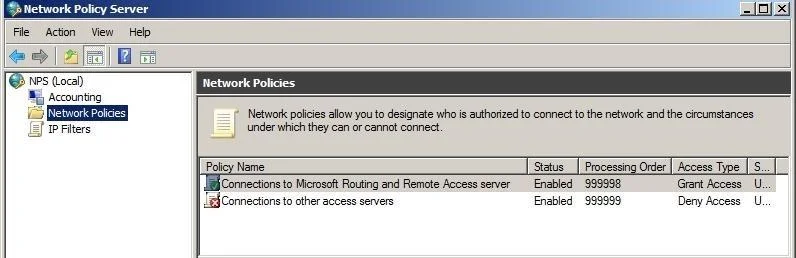
Exhibit
Options
- AInstall the Network Policy Server (NPS) server role on RAS1.
- BCreate a remote access policy that requires users to authenticate by using SPAP.
- CCreate a remote access policy that requires users to authenticate by using EAP-TLS.
- DCreate a remote access policy that requires users to authenticate by using MS-CHAP v2.
Unlock 70-649 to see the answer
You've previewed enough free 70-649 questions. Unlock 70-649 for full answers, explanations, the timed quiz mode, progress tracking, and the master PDF. Question stem and options stay visible so you can still see what's on the exam.