
Microsoft
70-499 · Question #336
You are using Microsoft Test Manager (MTM) to run a test case. During the previous run of the same test case, a bug was filed. The developer could not reproduce the bug. The test settings assigned…
The correct answer is A. Select the test case. Select the Run with option. Creating a new Test Settings The built-in data adapters in MTM 2012 include: IntelliTrace: Used to collect run-time and exception information from the system under test that can be used by developers to speed up the time it takes to understand the cause of a problem. - When we…
Manage software quality
Question
You are using Microsoft Test Manager (MTM) to run a test case. During the previous run of the same test case, a bug was filed. The developer could not reproduce the bug. The test settings assigned to the test plan do not include an adapter to collect IntelliTrace data. You have created a test setting that includes the IntelliTrace data adapter. You need to re-run the test with the settings that have the IntelliTrace data adapter. What should you do?
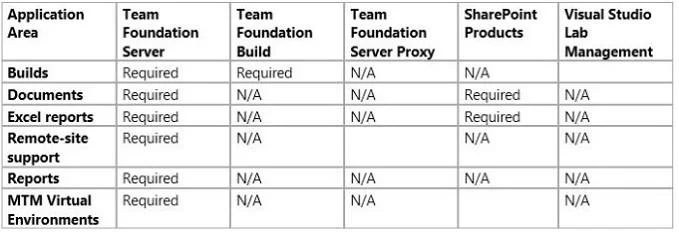
Exhibit
Options
- ASelect the test case. Select the Run with option.
- BSelect the test suite that contains the test case.
- COpen the test case.
- DRun the test case with its default settings.
How the community answered
(58 responses)- A76% (44)
- B3% (2)
- C14% (8)
- D7% (4)
Explanation
- Creating a new Test Settings The built-in data adapters in MTM 2012 include: IntelliTrace: Used to collect run-time and exception information from the system under test that can be used by developers to speed up the time it takes to understand the cause of a problem. - When we want to use the test settings we either assign it to the test plan or choose the test setting when we start a test run by selecting Run Options
Topics
#MTM#IntelliTrace#test settings#test execution
Community Discussion
No community discussion yet for this question.