
70-465 · Question #136
You use SQL Server 2014. You need to create a single object that inserts a provided value into Table1, and then returns a count of the records in Table1. Develop the solution by selecting and…
The correct answer is A. END D. Select @var1 = count(*) FROM Table1 F. CREATE PROCEDURE dbo.Spr_Table1 @InsertWord Varchar(10), @var1 INT OUTPUT AS BEGIN G. INSERT INTO TABLE1 (FIELD1) values (@InsertWord). The correct solution uses a stored procedure (F) with an OUTPUT parameter to both insert a value into Table1 and return a count. The procedure inserts the provided value (G), then uses SELECT to assign the row count to the OUTPUT parameter (D), and closes the procedure body…
Question
Exhibit
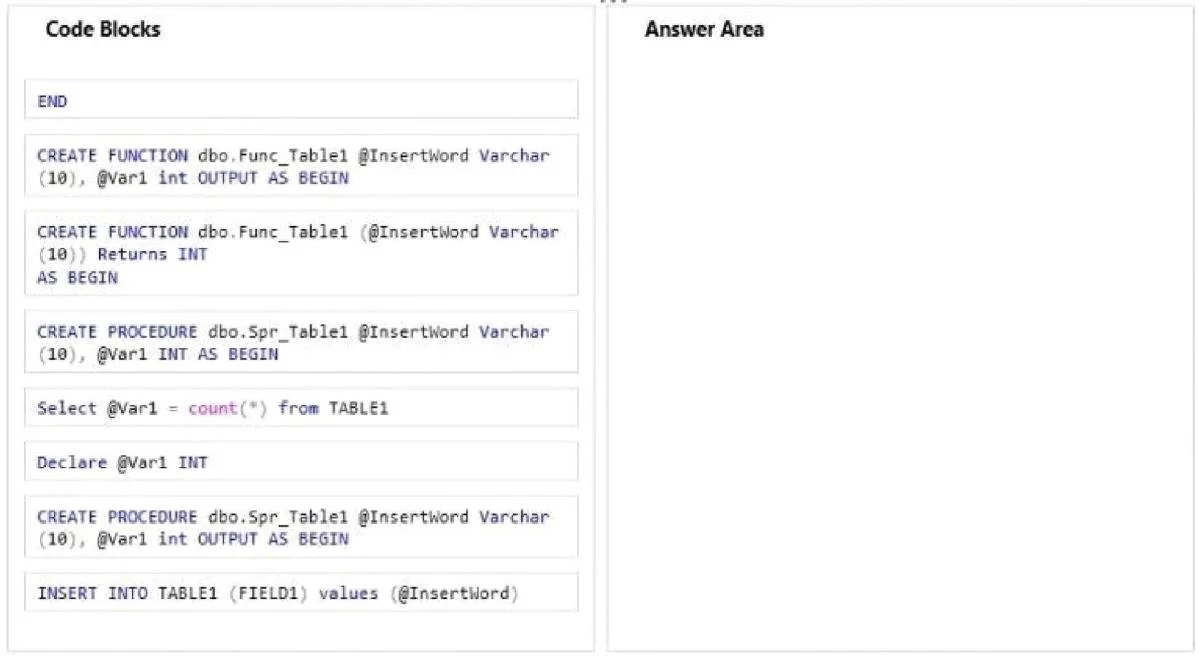
Options
- AEND
- BCREATE FUNCTION dbo.Func_Table1 @InsertWord Varchar(10), @var1 INT OUTPUT AS BEGIN
- CCREATE PROCEDURE dbo.Spr_Func_Table1 @InsertWord Varchar(10), @var1 INT AS BEGIN
- DSelect @var1 = count(*) FROM Table1
- EDeclare @var1 INT
- FCREATE PROCEDURE dbo.Spr_Table1 @InsertWord Varchar(10), @var1 INT OUTPUT AS BEGIN
- GINSERT INTO TABLE1 (FIELD1) values (@InsertWord);
How the community answered
(33 responses)- B9% (3)
- C15% (5)
- E3% (1)
- F73% (24)
Explanation
The correct solution uses a stored procedure (F) with an OUTPUT parameter to both insert a value into Table1 and return a count. The procedure inserts the provided value (G), then uses SELECT to assign the row count to the OUTPUT parameter (D), and closes the procedure body with END (A). A stored procedure with an OUTPUT parameter is the correct object type here because it performs a DML operation (INSERT) and returns a value - functions cannot perform INSERT/UPDATE/DELETE on regular tables in SQL Server.
Topics
Community Discussion
No community discussion yet for this question.